 Read Tracker
 Pay once · no subscription · no ads
Read aloud at your PC.
Every word lights up.
Read Tracker listens through your microphone and highlights each word the moment you say it, so you never lose your place on a big, calm page. Open the PDF, Word file or e-book you are working on, click a hard word to hear it, or let it read to you.
Coming soon to the Microsoft Store $2.99 / 2,99 €, one time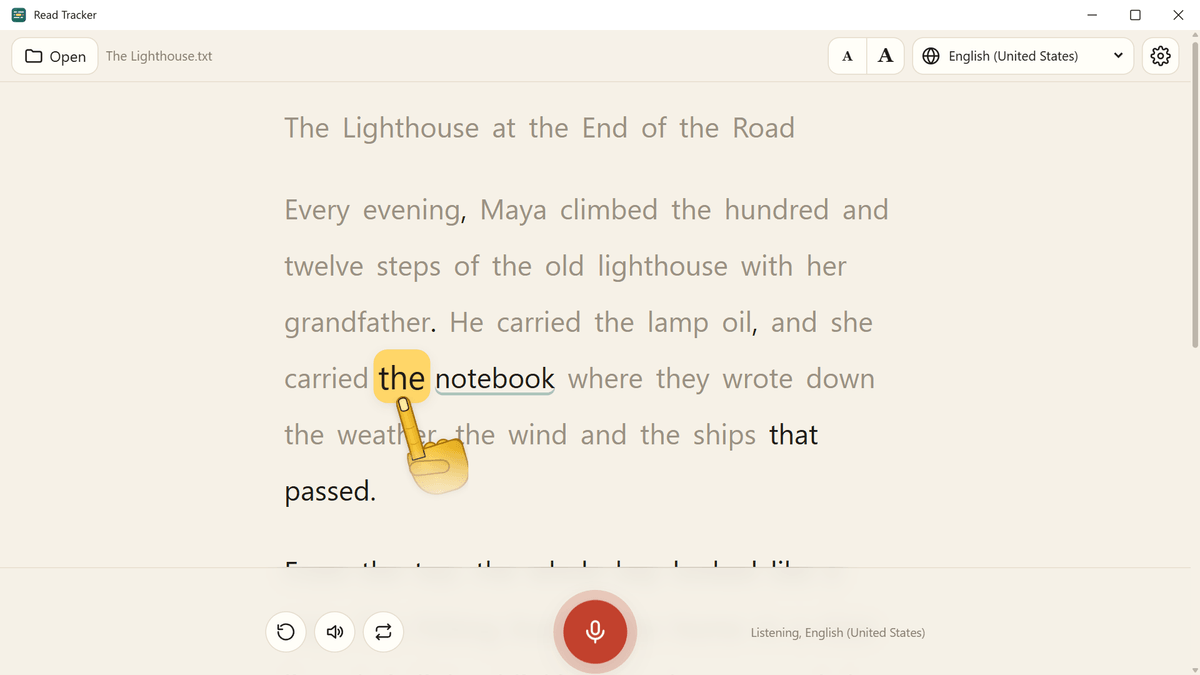
On a PC, Read Tracker cannot follow your voice in Hebrew or Arabic, because no speech engine for these two languages runs on the computer itself. You can still open Hebrew and Arabic texts, hear them read aloud with a Windows voice for the language, and use every reading comfort setting. If you read in Hebrew or Arabic, choose Read Tracker for Android or iPhone and iPad, which follow both.
Homework, a lesson over video, a speech to rehearse, a new language to practice: a lot of reading aloud happens at a desk, with the document already open on the computer. Read Tracker puts that text on a big, calm page that follows your voice like a finger under the line, and gives you the hard word the moment you need it. Many readers with dyslexia find the large print and the steady highlight a real help.
What it does
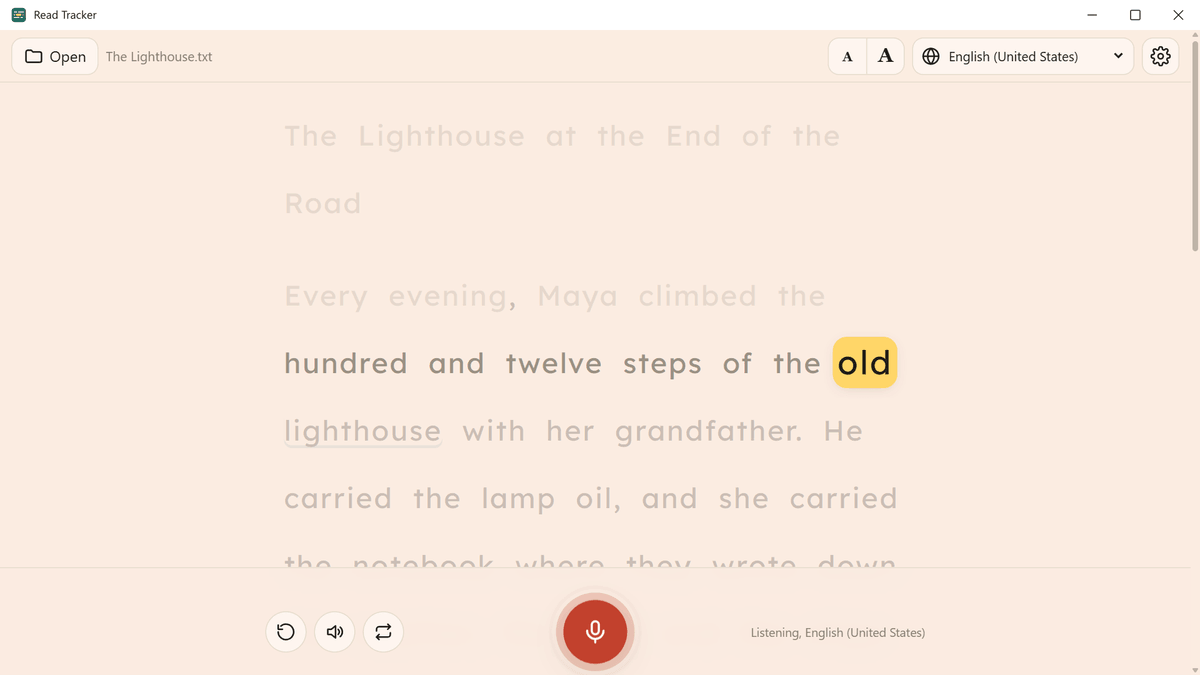
Click the microphone and read. The word you are on lights up and grows a little; words you have read turn gray, and a dotted line marks any you skipped.
Prefer a pointer? A friendly hand points at the word you are reading and glides along with your voice. Choose the highlight, the finger or both, and the finger's color.
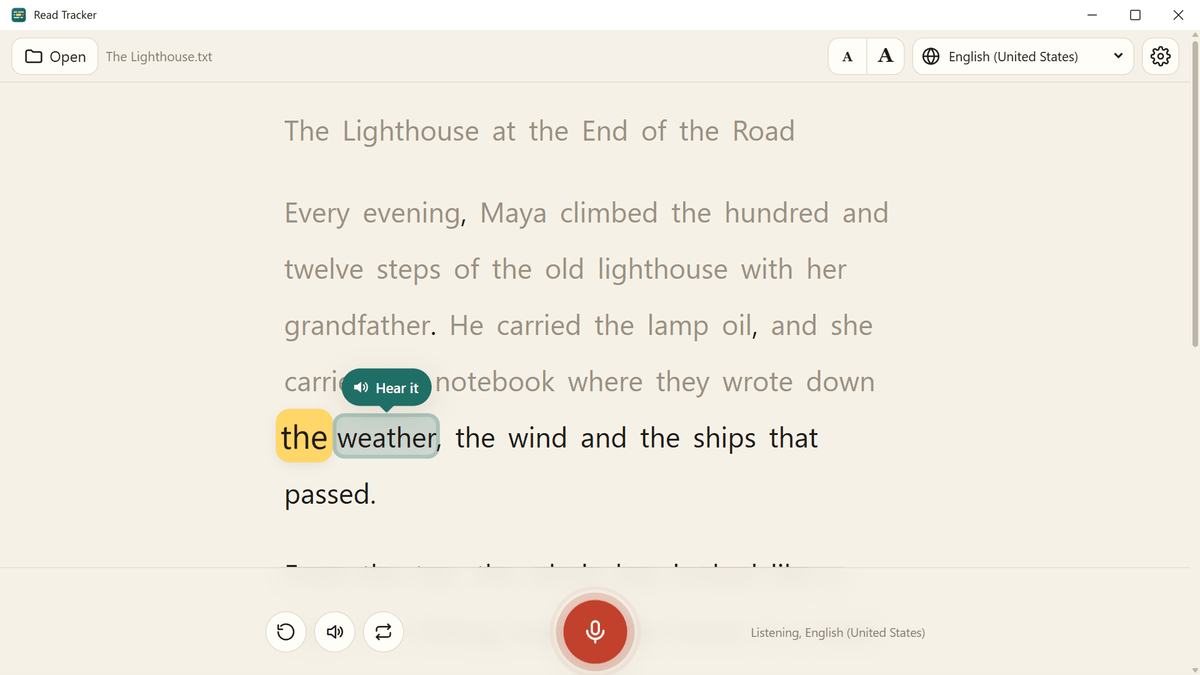
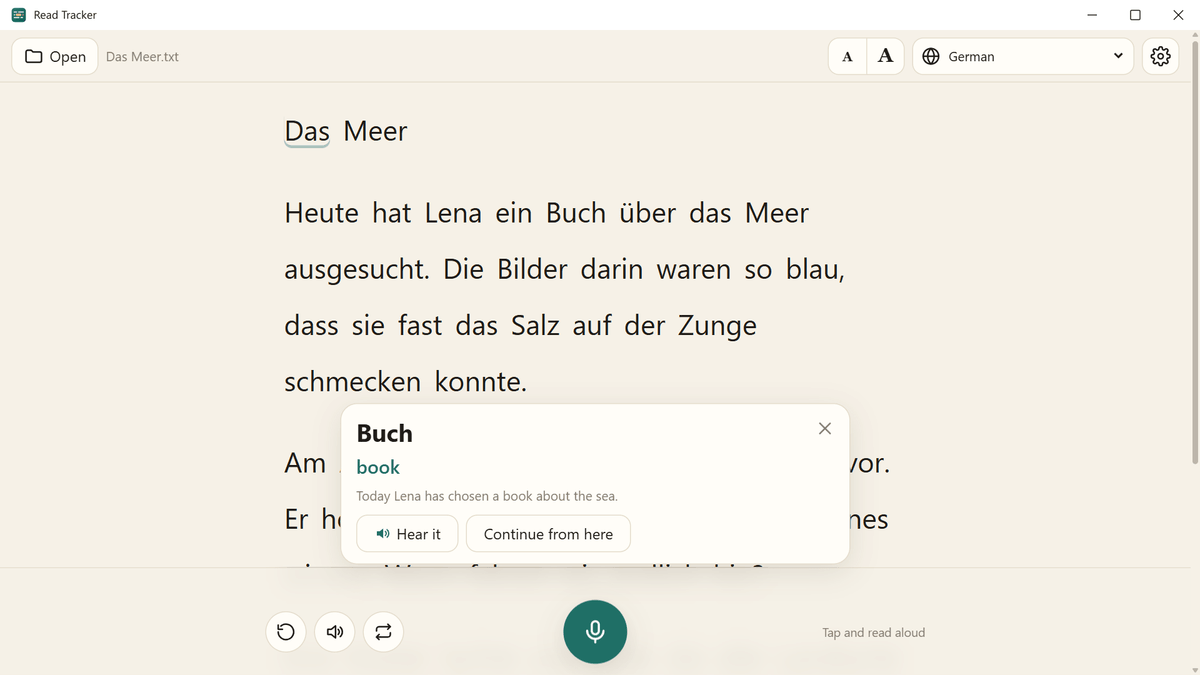
Click a word to hear it in a Windows voice. Pause on one for a few seconds and a "Hear it" button appears right above it.
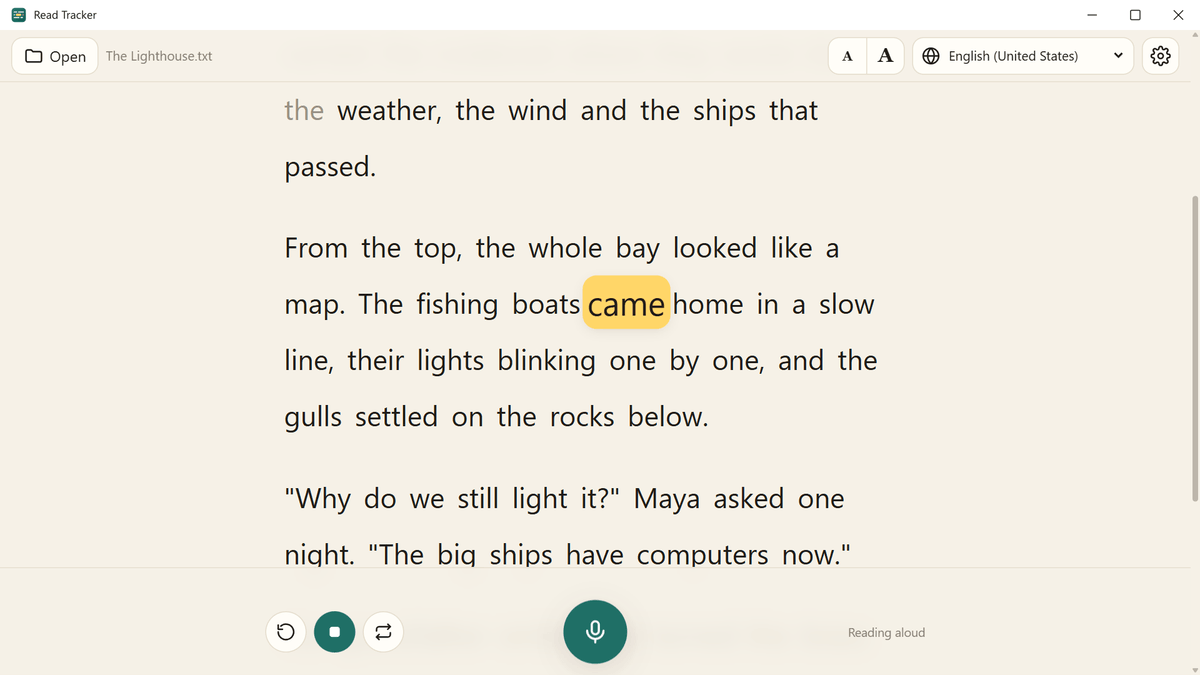
The app reads the text aloud and lights up each word exactly as it is spoken, at the speed you choose.
One sentence at a time: the app reads it, you say it back, and it tells you how it went.
Click a word for its translation and the whole sentence's, with the open translation models Mozilla made for Firefox. One download per language pair, then no internet needed.
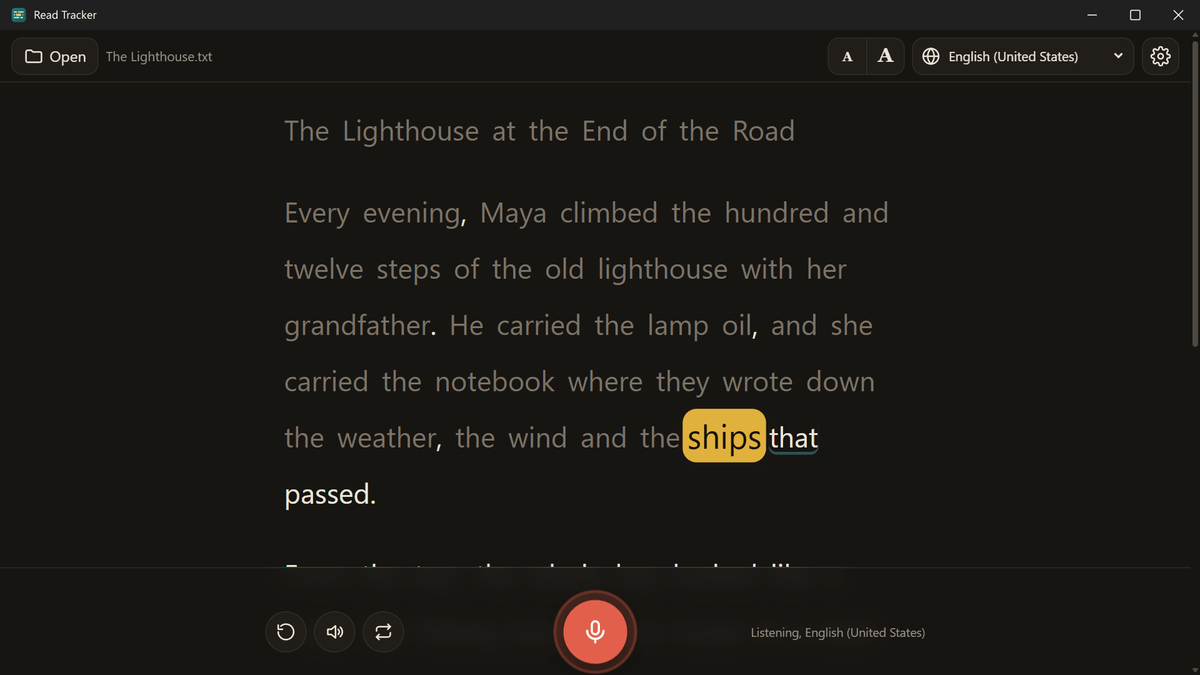
Lexend, OpenDyslexic and Atkinson Hyperlegible fonts, wider spacing, a line focus that dims the rest, and soft page colors.
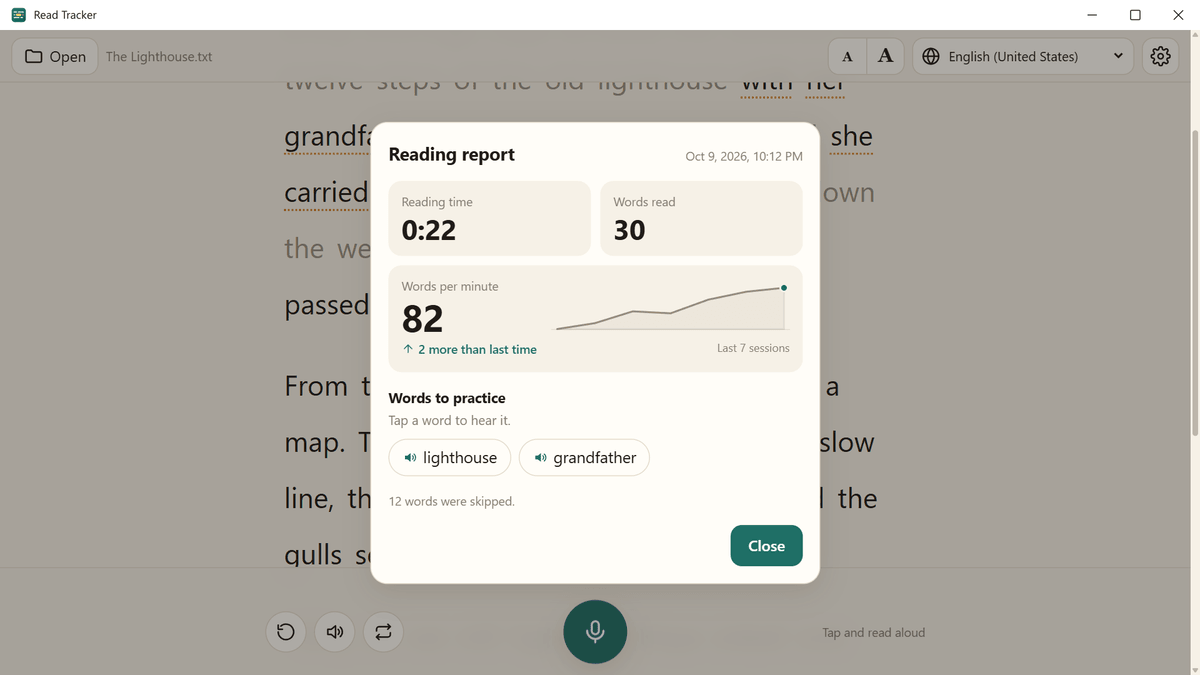
After each reading: your time, words per minute compared with last time, and the words worth practicing.
PDF, Word, EPUB e-books and text files, straight from File Explorer. Photos of printed pages turn into text with Windows' own text recognition.
Help at the exact moment you need it
Learn a language, watch your progress
Comfortable for every reader
Read Tracker brings its own speech engine, so what you say never leaves the computer and it works without internet. English is included; these languages download free the first time you need them:
Hebrew and Arabic are not available for voice tracking on Windows (see the note above). The app itself is in English, German, French, Spanish and Hebrew, and you can choose which microphone it listens to, with a live level bar for each one.
Questions
Which PCs does it run on?
Windows 11, and Windows 10 version 2004 or later, on 64-bit PCs. Any microphone works: the one built into a laptop, a USB microphone or a headset. If your PC has several, you choose which one the app listens to.
Can I read in Hebrew or Arabic?
Not by voice on Windows: there is no speech engine for these two languages that runs on the computer. You can still open Hebrew and Arabic texts, have them read to you with a Windows voice for the language, click words to hear them and use every reading comfort setting. To follow your voice in Hebrew or Arabic, use Read Tracker on Android, iPhone or iPad.
Does it work without internet?
Yes. Reading, highlighting, hearing words, reading aloud, translation, the report and the dyslexia-friendly mode all work offline. The internet is needed only once, to download a language's speech engine (English is included) or a language pair for translation.
Which documents can it open?
PDF, Word (.docx), EPUB e-books and text files, photos of printed pages, and any text you paste in. Books bought on Kindle and in most e-book stores are locked so that only the store's own app can open them; Read Tracker opens unlocked EPUB books, which includes tens of thousands of free classics.
Is my voice recorded?
No. The app listens only while the microphone button is on, recognizes your voice on the PC itself and never saves or sends audio. See the Privacy Policy for the details.
Does a phone version come with it?
The Windows version is bought in the Microsoft Store, and the phone versions in Google Play and the App Store, so each store sells its own. Each is a single purchase with no subscription.
Does it help with dyslexia?
Many readers with dyslexia find it easier to keep their place with the highlight, the reading finger, the line focus, the spacing and the fonts made for them. Read Tracker is a reading aid, not a treatment: it does not diagnose or treat anything, and it is no substitute for a teacher or a specialist.
Is it a subscription?
No. Pay once and it is yours. No ads, no account, no tracking.