The films on your
computer, on your
television.
Your own films, your own series, your own photos, already sitting on the computers and phones at home. HearthWire TV puts them on the big screen with their artwork, their seasons and their subtitles. Nothing is uploaded and nothing is copied: press play and it streams across your own Wi-Fi.
Get it on Google Play $9.99, one time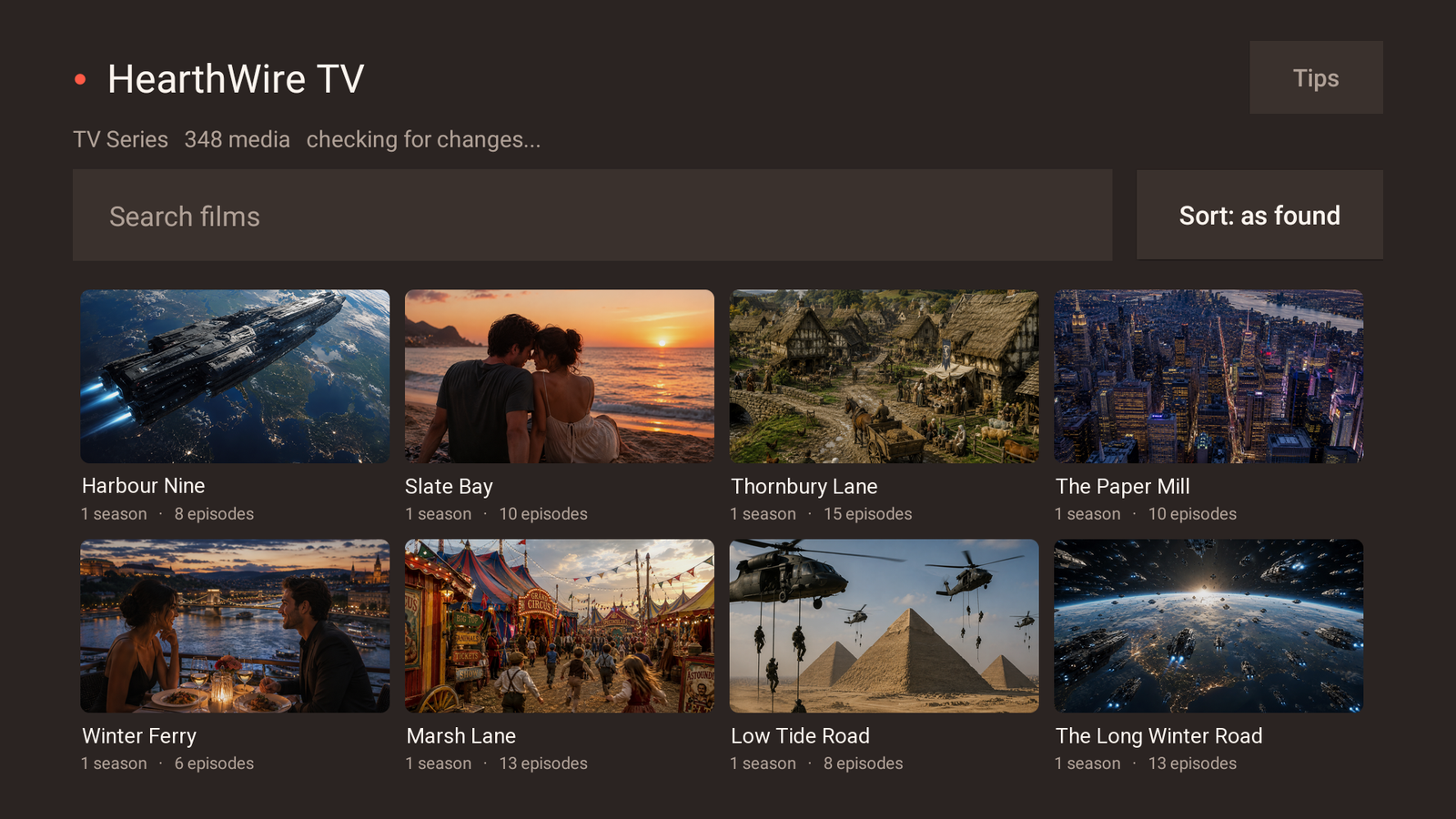
This is the television half of HearthWire, not a shop and not a library of its own. The films stay where they already are, on a Windows PC, a Mac or an Android phone running HearthWire on the same Wi-Fi, and the television simply reads them. If nothing at home is running HearthWire, this app has nothing to show you. A phone and a television are enough on their own if there is no computer in the house.
What it does
Every shared folder becomes a proper library: a picture for each film, sorted, searchable, and remembered so it opens instantly the next time.
Seasons and episodes, in order, with a picture each. When one episode ends the next one starts by itself.
A subtitle file sitting beside the film is found and handed over with it, Hebrew included, in the encoding that actually renders.
Watched episodes are marked, so a season you are halfway through tells you where you got to instead of making you remember.
Watch a computer's whole screen on the big set, at full motion, once somebody there says yes. A browser, a game, a video call, anything that is not a file.
The pictures on your computers and phones, shown at the size they deserve, with a remote instead of a mouse.
A line sent from a computer appears on the television, even in the middle of a film.
Most televisions have no web browser. Scan the code on screen with your phone and the search opens there instead.
A television only joins your home network after someone at a computer approves it, and everything between them is encrypted.
Press play, and a real player takes over
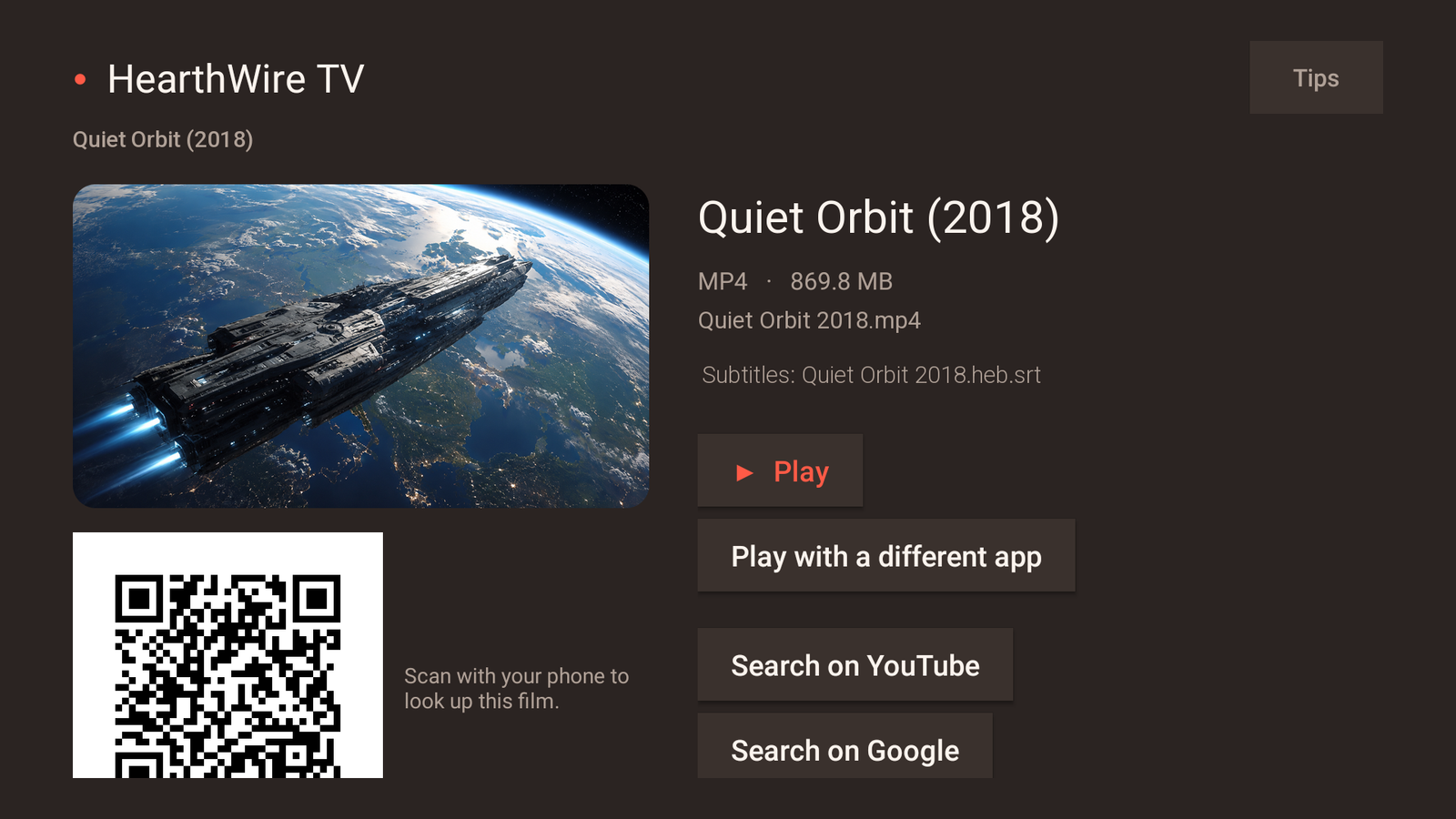
HearthWire TV is deliberately not a video player. It hands the film to VLC or Kodi, both free, which is why nearly every format your library contains simply works. The app helps you install one the first time and knows which of them your particular television gets along with.
Open one, and see only what it shares
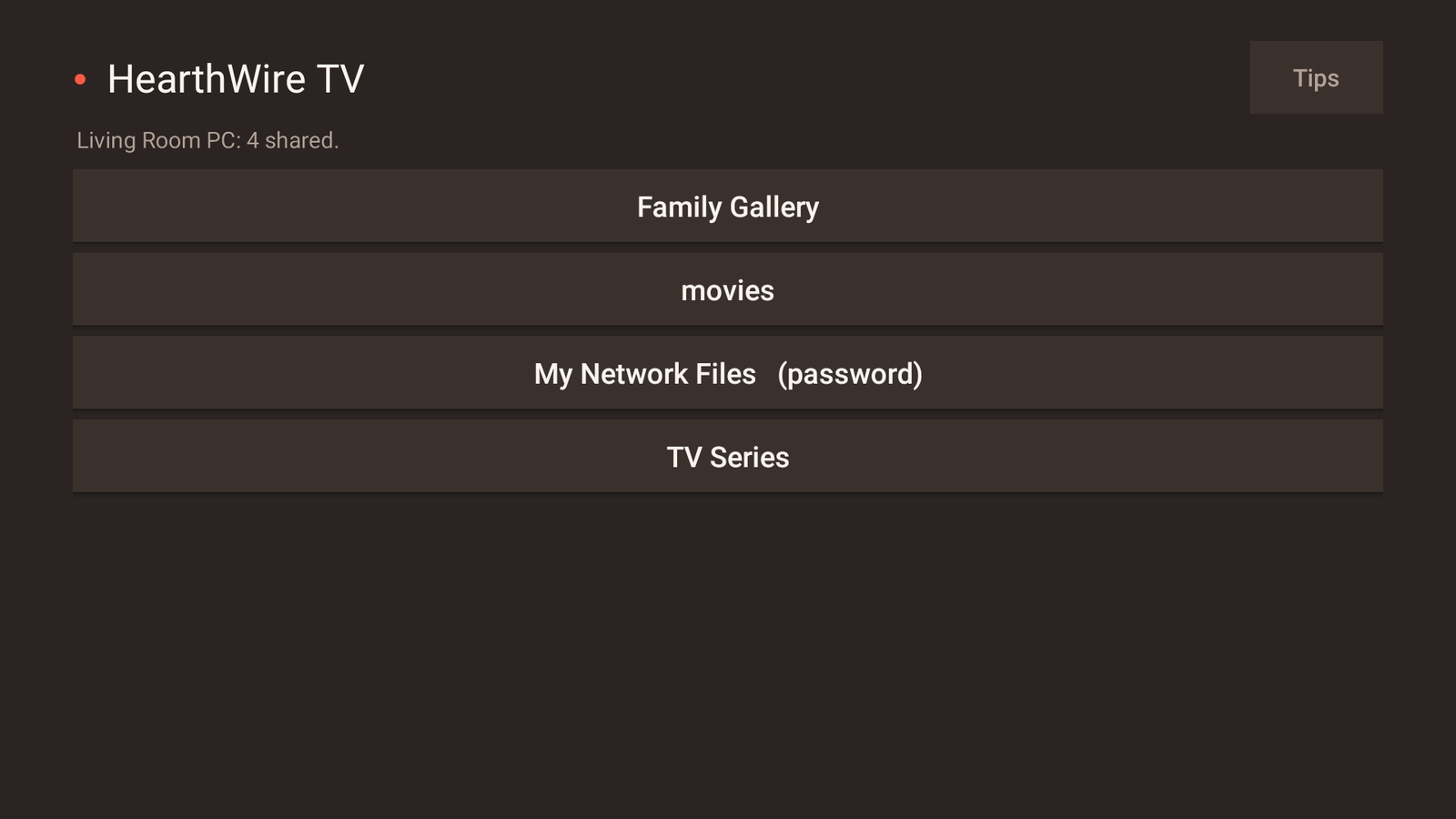
Computers, phones and other televisions all appear on one screen, reachable with the remote. Open one and you see the folders it chose to share, and nothing else. A folder kept behind a password says so before you open it.
HearthWire connects the computers, phones and televisions in your home into one private network. The television is where you sit down at the end of it.
Questions
Do I need anything else for this to work?
Yes, and it is the first thing to know: a Windows PC, a Mac or an Android phone on the same Wi-Fi, running HearthWire, with at least one folder shared. The television reads what those devices offer. On its own it has nothing to show. A phone and a television are enough if there is no computer.
Does it copy the films onto the television?
No. Nothing is downloaded and nothing is stored on the television. The film stays on the computer and streams over your Wi-Fi as it plays, so a two hour film starts in seconds and you can jump around inside it normally.
Which video formats does it play?
Whatever the player you choose can play, which in practice means almost everything. The app itself decodes nothing: it hands the film to VLC or Kodi, and those two between them handle the formats a real home library is actually made of.
Will it work on my television?
It is built for Android TV and Google TV, which covers most sets sold since 2017 as well as Chromecast with Google TV and NVIDIA Shield. It does not run on Samsung or LG televisions, which use their own systems. If yours is one of those, an inexpensive Android TV stick is the usual answer.
What does putting a computer's screen on the television give me?
Everything that is not a file. A browser, a photo site, a video call, a game, a spreadsheet somebody wants six people to look at. Someone at that computer has to approve it each time. For a film that exists as a file, use the library instead: it plays at full quality without being re-compressed.
Does anything go through the internet?
No. Everything travels directly between your own devices over your own Wi-Fi, encrypted. There is no server, no account, no adverts, no tracking and no telemetry.
Is it a subscription?
No. Pay once and it is yours.
I have two televisions. Do I pay twice?
No. Google Play ties the purchase to your account rather than to the set, so it installs on every television signed in to the same Google account, and the Android phone app works the same way. The other stores set their own terms: Microsoft allows a purchased Store app on up to 10 Windows PCs on one Microsoft account, and the Mac App Store puts no number on it at all.