Your phone and
your computers,
one private network.
Send a file, open the folders your computer shares, share your own folders back, play a film straight from a computer without downloading it first, call a computer, or take control of its screen. Everything travels over your own Wi-Fi, encrypted, with no server in the middle.
Get it on Google Play $4.99, one time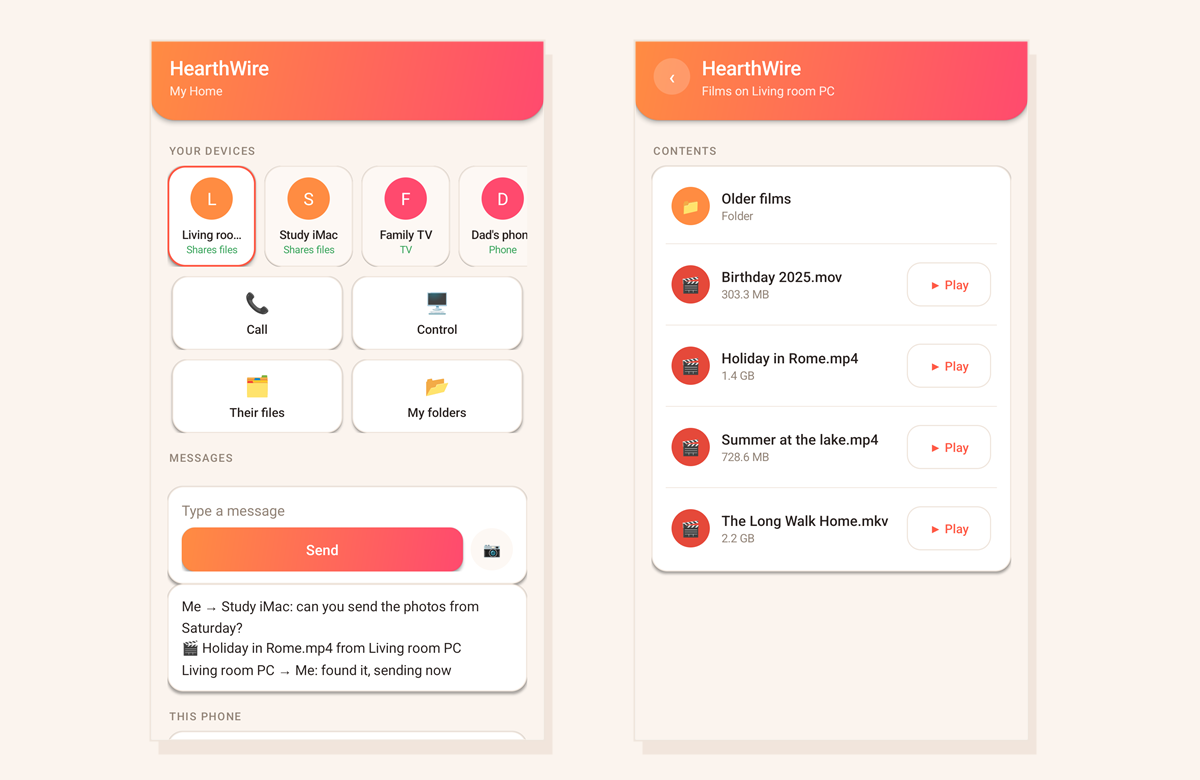
Getting a film off a computer and onto a phone, or a photo off a phone and onto a computer, still means a cable, a cloud account, or emailing something to yourself. HearthWire does it the way it should have worked all along: your devices already share a Wi-Fi network, so they simply talk to each other. Nothing is uploaded, nothing is signed into, and nothing is stored anywhere but on the devices you own.
What it does
Share to HearthWire from any app on the phone and it lands on the computer you pick. Photos, documents, videos, whatever you were just looking at.
A computer can send to the phone. You are asked first, and the file lands in your Downloads where you can actually find it.
Open the folders they share, with real picture previews, and save what you want to the phone.
Press play and it streams from the computer, seeking and all, straight into VLC or the player you already use. A two hour film starts in seconds.
Downloads, Music, Photos and Videos, readable from every computer in the house, and from an Android TV. No cable, no copying.
Call a computer from the phone, or answer one from it, over your own network.
See a computer's screen on the phone and use it, once someone at that computer says yes.
Send a line to one computer or to everyone. It pops up on their screen, no phone numbers involved.
No computer yet? The phone can found the home network itself and approve a television joining it.
Your folders, shared on your terms
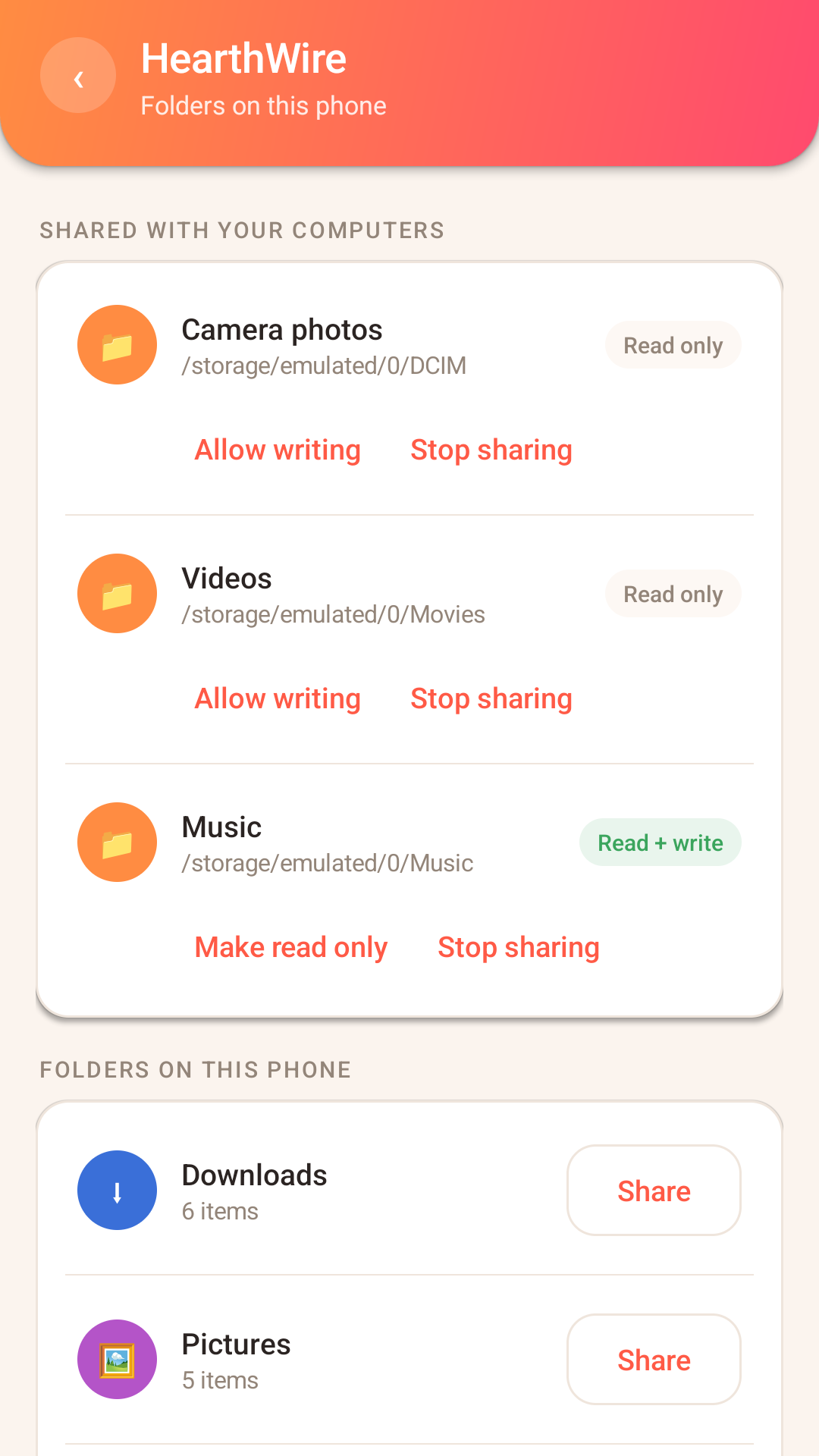
Pick a folder and it appears on your computers. Nothing is shared until you choose it, each folder is read only unless you say otherwise, and you can stop sharing at any time.
Turn the phone on its side
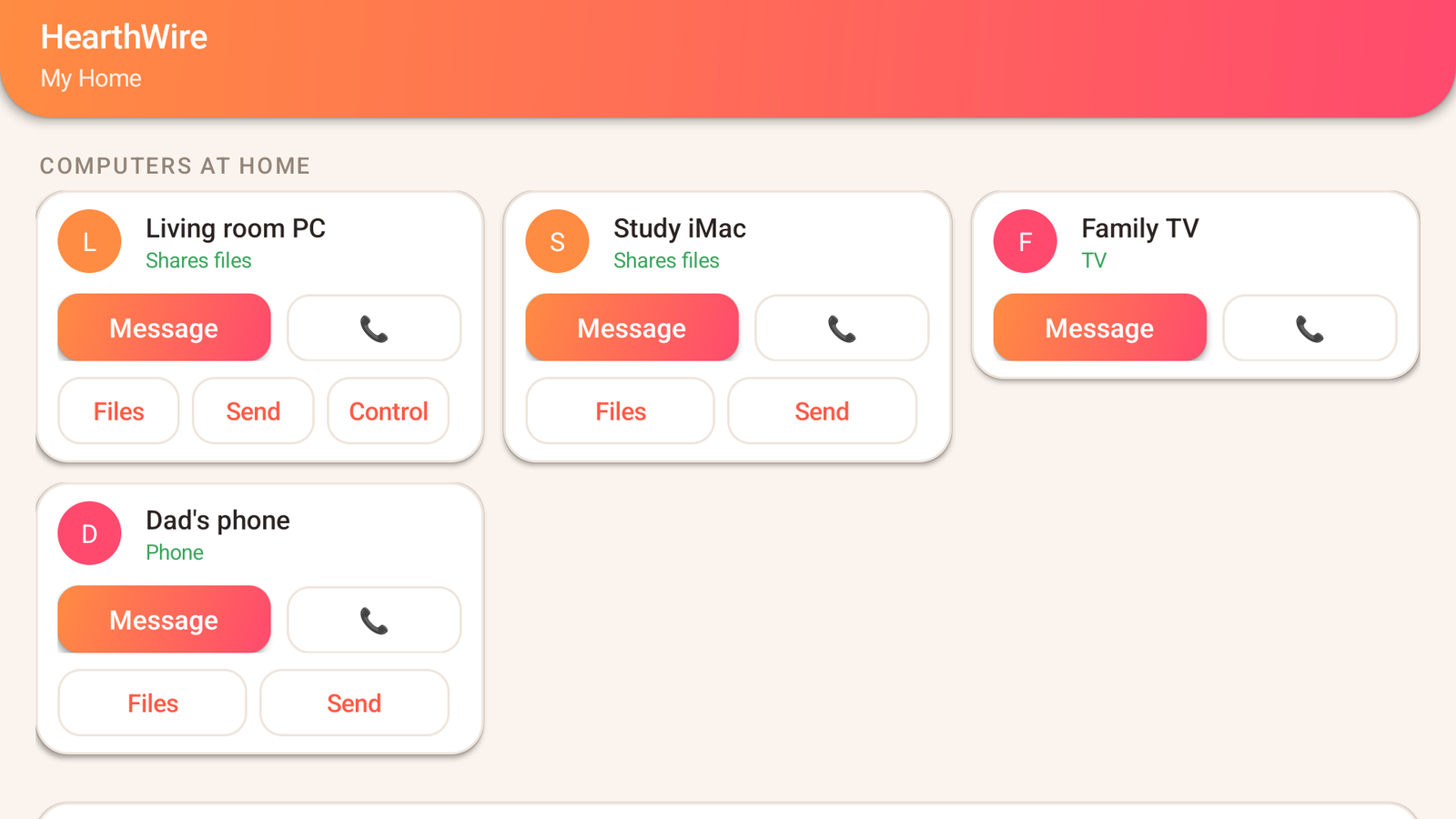
Held upright it is a phone app. Laid down it becomes the desktop layout, a card per computer with its own buttons. The same is true on a tablet.
HearthWire connects the computers in your home into one private network. The phone joins that network. You will want the computer app too.
Questions
Do I need the computer app as well?
For nearly everything, yes. The phone talks to computers running HearthWire, so that is where the files, the screens and the calls are. The one exception is a household with no computer at all: the phone can start a network on its own and share its folders with an Android TV running HearthWire TV.
Does anything go through the internet?
No. Every transfer, call and screen goes directly between your own devices over your own Wi-Fi, encrypted. There is no server, no account, and nothing is uploaded anywhere.
Which folders can it share?
Downloads, Music, Photos, Videos, and the media folders WhatsApp and Telegram keep. Android only lets an app see media in those places, so films, photos and music are shared while documents and other private files stay invisible.
Can it play a film without filling up my phone?
Yes, that is the point of the Play button. The film stays on the computer and streams to whichever video player you already have, and you can seek through it normally.
Is it a subscription?
No. Pay once and it is yours. No adverts, no tracking, no telemetry, no account.
I have two Android phones. Do I pay twice?
No. Google Play ties the purchase to your account rather than to the handset, so it installs on every Android phone and tablet signed in to the same Google account. The other stores work the same way with their own terms: Microsoft allows a purchased Store app on up to 10 Windows PCs on one Microsoft account, and the Mac App Store puts no number on it at all, covering the Apple products you own or control.