Every PDF job, on one desk.
HearthPage is the PDF desk of your home. Drop in your files, and every page becomes a tile you can reorder, merge, split and rotate. Then fill forms, sign from your phone or your own certificate, redact for real, shrink for email, and make scans searchable. Everything stays on your own computer. No cloud, no account, no subscription, no watermark.
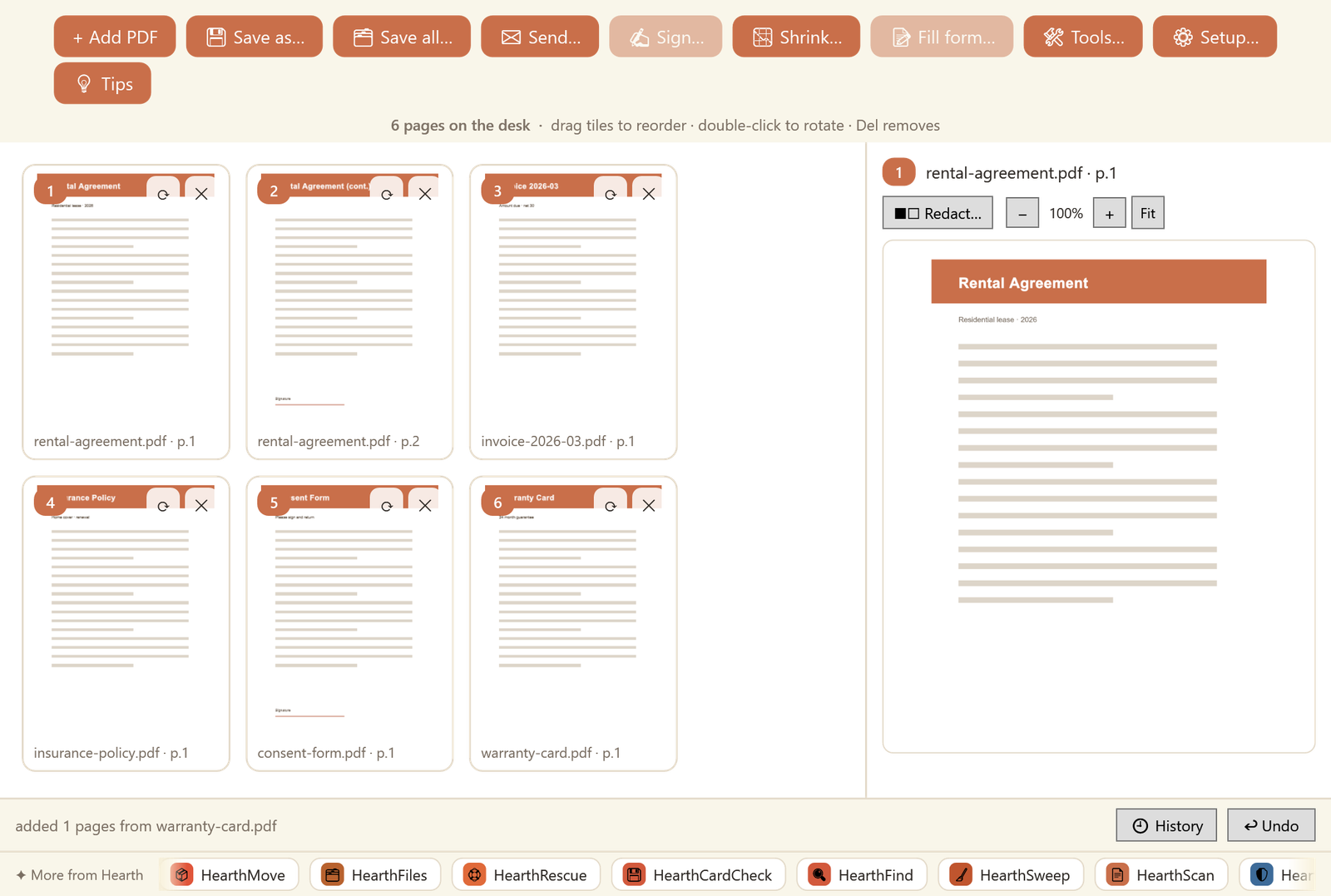
Bring pages in. Do the work. Send it out.
Whatever the PDF job is, it happens in one calm place, and your originals are never touched.
Bring pages in
Drag any PDFs onto the desk. Every page becomes a tile you can drag to reorder, even between files, double-click to rotate, and delete. The whole thing saves as one clean PDF.
Do the work
Fill form fields, sign, redact a private line, add page numbers or a watermark, or shrink the whole thing for email. Each tool is one click, and nothing leaves your machine.
Send it out
Save where you choose, or hit Send to open the Windows share sheet: mail, WhatsApp, Teams, whatever you have. One tidy PDF, ready to go.
The whole desk, and it all runs on your PC.
Pages, your way
Combine several PDFs into one, pull pages out, reorder by dragging tiles, rotate, and remove. A glowing badge shows exactly where each page will land in the final file.
Fill it, then flatten it
Real form fields become live boxes on the page, and even boxed fields get one cell per character. Add a date or free text anywhere. Saving flattens it into a finished PDF.
A signature, no app to install
Show a QR code, sign on your phone's browser on the same Wi-Fi, and approve it on the PC. Add a PIN for sensitive documents. The signature follows your cursor, so you place it exactly.
Digital signatures, done right
Sign with a certificate from Windows (smart cards and USB tokens included) or a PFX file. Your signature, your certificate, your computer: the private key never leaves your device.
Redact, and it's actually gone
Black out or erase an area, and the saved page is rebuilt from pixels, so the hidden content is truly removed from the file, not just covered by a rectangle you can copy text out from.
Small enough to email, searchable too
Three honest size levels with real before and after numbers, and on-device OCR that turns scans into searchable text. Plus watermark, page numbers and password protection.
Questions people ask
The honest answers, before you buy.
What is HearthPage?
HearthPage is a PDF app for Windows: the PDF desk of your home. It merges, splits, fills forms, signs, redacts, shrinks and reads (OCR) your PDFs, all in one place, and everything stays on your own computer.
How much does HearthPage cost? Is there a subscription?
It is a one-time purchase of $9.99 from the Microsoft Store. There is no subscription, no trial nag, and no watermark stamped on your documents. You buy it once and it is yours.
Does HearthPage need the internet, a cloud or an account?
No. There is no account to create and nothing is uploaded to a cloud. Merging, form filling, signing, redaction, shrinking and OCR all happen locally on your machine, and the app works fully offline.
Which version of Windows do I need?
HearthPage runs on Windows 10 and Windows 11.
How does signing from my phone work, and do I need an app?
No app is needed. HearthPage shows a QR code or a link; you open it in your phone's browser on the same Wi-Fi, draw your signature, and it appears on the PDF on your PC after you approve it there. You can require a PIN for sensitive documents. Because it is just a web page, it works on every phone in the family.
Can I sign with a real digital certificate, and where does my key go?
Yes. You can sign with a certificate from the Windows store (including smart cards and USB tokens) or a PFX file that you provide. Your private key never leaves your computer, and nothing is sent anywhere. HearthPage is not a certificate authority and does not issue certificates; you bring your own. Whether a signature is legally valid is governed by the law of your country, so check your local rules.
When I redact something, is it really removed?
Yes. When you redact a page and save, that page is rebuilt from pixels, so the covered content is genuinely gone from the file rather than hidden under a box. As with any tool, review the saved file before you share it.
What languages does it speak?
The app comes in 18 languages, including full right-to-left Hebrew and Arabic layouts, all the way down to the signing page on your phone.
Part of the Hearth family
HearthPage sits next to HearthScan, the document desk that gets paper in. Scan with HearthScan, then merge, sign and send with HearthPage. Same private, local-first approach: your documents stay on your own computers.