The file manager
that remembers.
HearthFiles is a full Windows file manager, browse, move, rename, delete, with one thing no other file manager has: memory. Put categories, colors, deadlines and sticky notes on your files, and they stay, even when the files move.
Get it on the Microsoft Store Pay once, own it forever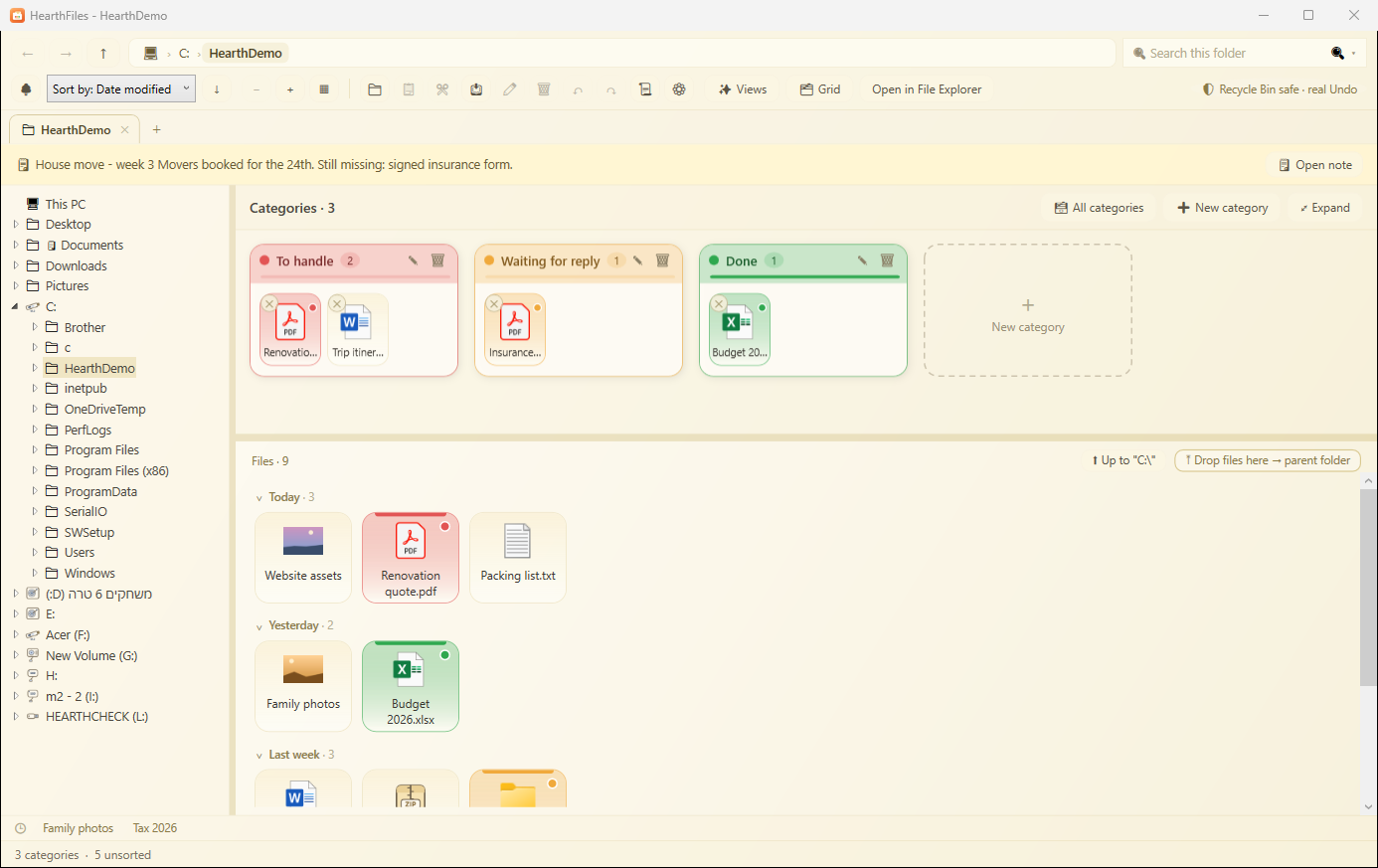
Every file manager shows you files. HearthFiles keeps the part they all throw away: which of these files matters, what still needs handling, what it's waiting on, and what you were doing here last time. Categories, color marks, work statuses and folder notes live in HearthFiles' own memory, never written into your files, and they follow the file when you move or rename it. Come back in a month and the folder still explains itself.
A real file manager, with a memory layer on top
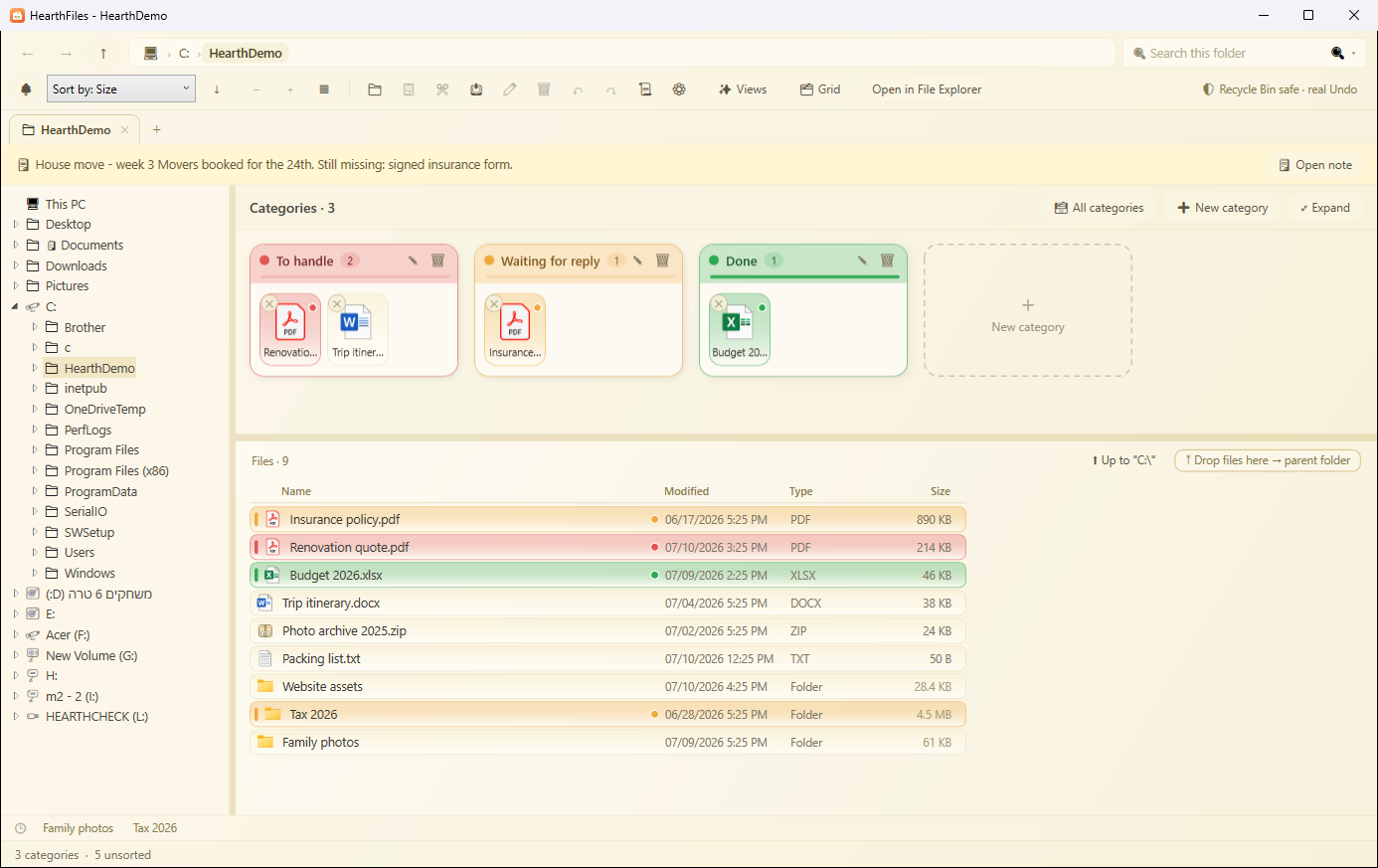
Drag files into named, colored categories, "To handle", "Waiting", "Done". The file stays exactly where it is on disk; the category is a view. One click shows everything in a category, across all your folders.
A styled note at the top of any folder: what this project is, what's left to do, when it's due. Notes on single files too. Nothing is written into the files themselves.
Type a word, get every PDF, Word, Excel, PowerPoint, text and code file that contains it, with the matching line shown. Powered by the HearthFind engine, entirely on your PC.
Every move, rename, copy and delete goes through Windows itself, and HearthFiles keeps the last 20 operations in plain words. Deleted files go to the Recycle Bin and Undo restores them to the exact original path.
The Details view shows real folder sizes, the thing Explorer has refused to do for twenty years, and remembers them so they appear instantly next visit. Sort your folders by size.
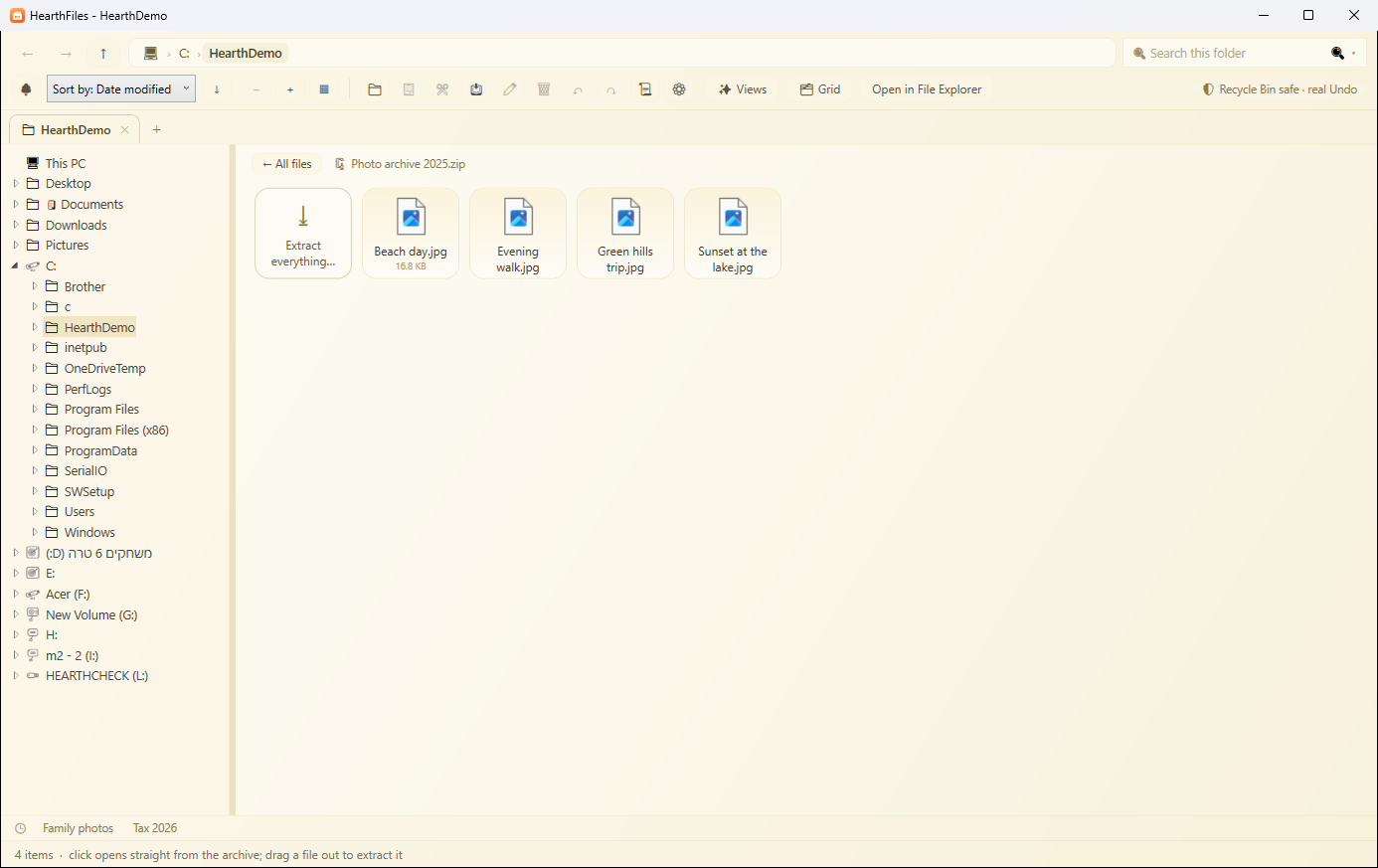
Step into an archive like a folder, open files straight from it, drag files out to extract them, extract everything to a folder named after the archive, and zip any selection.
What you viewed, what you actually changed, what got added, moved or deleted, three tidy columns, click any row to jump there. Great for "what was I doing yesterday?".
Browser-style tabs, a folder tree that never jumps under your mouse, and every folder remembers its own view, sort and zoom, exactly how you left it.
No account, no analytics, no cloud. Your files, their names and your notes never leave your computer. Pay once and own it, no subscription.
See the memory at work
Questions people ask
What is HearthFiles?
HearthFiles is a full file manager for Windows that browses, moves, renames and deletes like any other, then adds a memory layer on top. Categories, color marks, work statuses and sticky notes stay attached to your files, so a folder still explains itself when you come back to it.
How much does HearthFiles cost, and is there a subscription?
You pay once on the Microsoft Store and own it forever. There is no subscription and no recurring fee. The current price for your region is shown on the Store page.
Does HearthFiles need the internet, a cloud, or an account?
No. HearthFiles runs entirely on your PC, with no account, no analytics and no cloud. Your files, their names and your notes never leave your computer.
Which version of Windows do I need?
HearthFiles runs on Windows 10 and Windows 11. You install it from the Microsoft Store, which keeps it up to date automatically.
How do categories and notes follow a file when it moves?
The memory is kept in HearthFiles' own database, keyed to each file, and it updates whenever you move or rename a file through the app. Nothing is ever written inside your files, so a photo or a PDF stays byte for byte the same while its category, color and note travel with it.
If I delete a file, is it really gone?
No. Every delete goes to the Windows Recycle Bin, never a silent permanent wipe, and HearthFiles keeps the last 20 operations so Undo can put a file back at its exact original path.
Do my categories and notes sync to my other PCs or to the cloud?
Not to the cloud. The memory lives locally on this PC, which is the privacy trade-off we chose. On the same computer it is shared with FolderNotes, so notes and marks made in either app appear in both.
HearthFiles shares its memory with FolderNotes: the notes and marks you made there appear here, and both apps stay in sync.
HearthVault backs up your home PCs to each other, privately, with no cloud. From the same family.