Your files, kept safe. Kept simple.
HearthVault is private, local-first backup for the whole house. Pick your folders once, and it quietly keeps dated versions on your drives, your external disk, your own cloud folder, and even other computers in your home. Then it does what no backup tool bothers to do: it proves your files can actually come back. No cloud of ours, no account, no subscription.
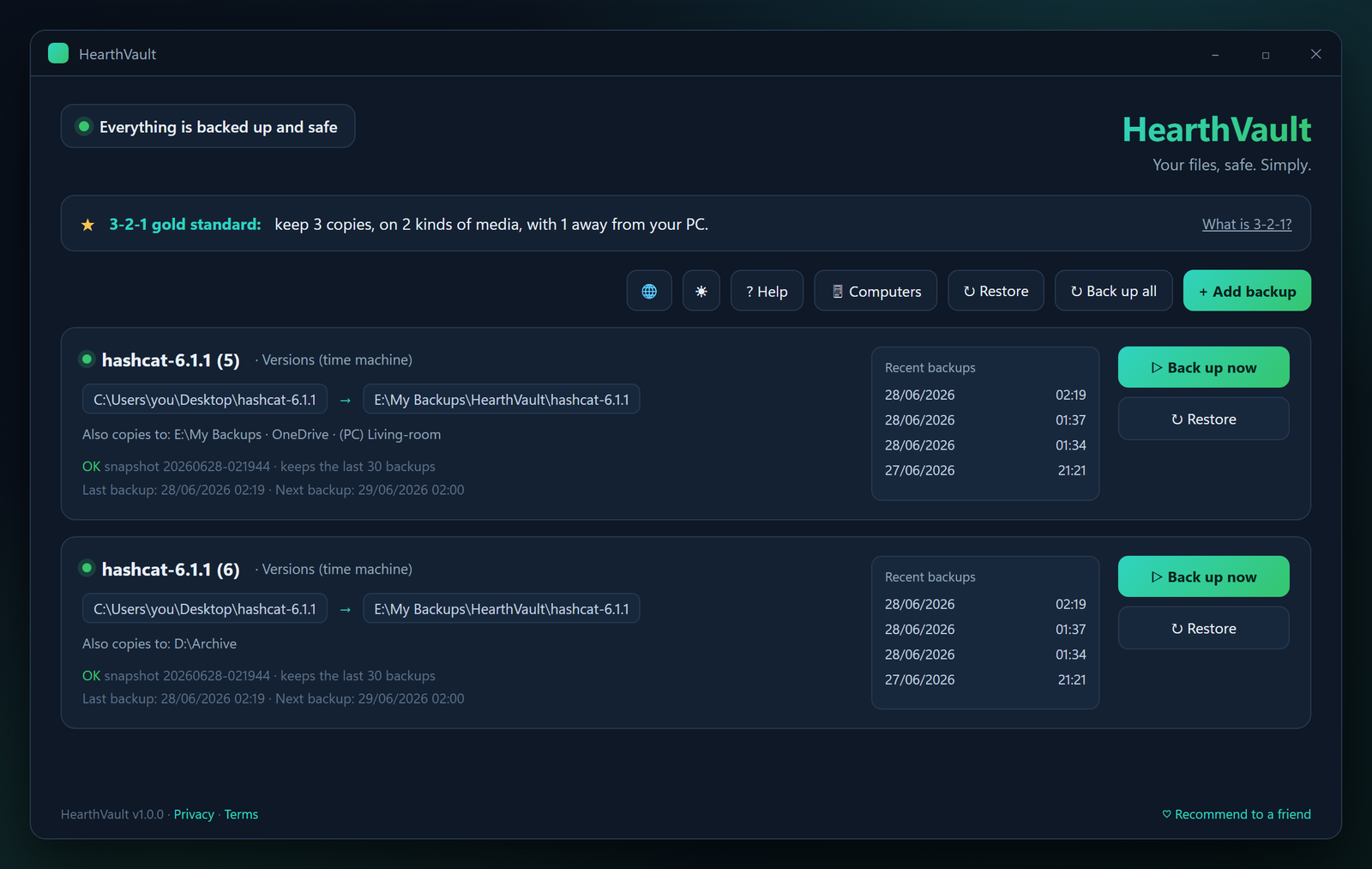
Set it up once. It worries so you don't.
No jargon, no settings maze. Every button explains itself in plain language.
1. Pick what matters
Documents, photos, the family folders. Tick them in a simple tree, or use the one-click shortcuts for Documents, Pictures and Desktop.
2. Choose where
Another disk, an external drive, your own OneDrive or Dropbox folder, another PC in the house, or several at once. That's the 3-2-1 gold standard, made clickable.
3. Get proof, not hope
The moment your first backup finishes, HearthVault restores a real file from it, verifies its checksum, and shows you: your backup is restorable. Every time.
A backup you can trust. And actually understand.
Versions, not just copies
Keep dated snapshots of your folders and go back to how things looked last week or last month. Smart hardlinks mean unchanged files take no extra space.
Restore drills
A backup that was never tested is a wish. HearthVault regularly restores real files from your backups and verifies them, so "it works" is a fact, not a feeling.
Restore that speaks human
"I deleted a file", "my PC died", "I want an older version", "I'm worried about a virus". Pick what happened and HearthVault sets everything up for that rescue.
A circuit breaker for your backup
If half your files suddenly change or vanish, HearthVault pauses instead of overwriting your last good backup, and asks you first. Your history stays safe.
No subscription. No lock-in.
Backups are plain, browsable files you can open without us. Want an offsite copy? Use the OneDrive/Dropbox/Drive you already have. We never see your data.
Feels local everywhere
Full interface in 18 languages including right-to-left Hebrew and Arabic, with the same plain-language explanations everywhere.
Your home's computers, backing each other up.
The laptop backs up to the desktop. The desktop backs up to the kids' PC. Automatically, encrypted, over your own home network, with each computer identified by its own cryptographic key. If one machine is lost, stolen or dies, its files are already waiting on another one.
One-time add-on, $9.99 for the whole household. The receiving computers don't need a license.
Frequently asked questions
A few of the ones we hear most. The full list lives on the FAQ page.
What is HearthVault?
A private, local-first backup app for Windows. You pick the folders that matter and it keeps copies, including dated versions, on the destinations you choose: another disk, an external drive, your own cloud folder, or other computers in your home. No cloud of ours, no account, no subscription.
How much does it cost?
$14.99, once. That covers everything for one computer: versions, scheduling, restore drills, the ransomware circuit breaker, and all 18 languages. The optional Family Mesh add-on is a separate $9.99 one-time purchase for the whole household. No subscriptions, ever.
Does it need the internet or an account?
No. Everything runs on your own computer and home network, with no account and no sign-up, and your files are never uploaded to us. The only internet use is optional: backing up into a cloud folder you chose yourself.
What is a "restore drill"?
Most backup tools tell you a backup succeeded and hope for the best. HearthVault regularly restores a real file from your backup, verifies its checksum matches the original, and only then tells you the backup is restorable. The first drill runs right after your first backup, so you start with proof, not hope.
What exactly does Family Mesh do?
It turns the computers in your home into each other's safety net. The laptop's backup also lands on the desktop, automatically and encrypted, over your own network, so if a machine is lost, stolen or dies, its files are already waiting on another one. One $9.99 purchase covers the whole household.
Part of the Hearth family
HearthVault shares its private home-network technology with HearthWire and HearthScan. Your scans get filed, your PCs talk to each other, and your backups keep it all safe, without a single byte leaving home.