Your folders forget.
FolderNotes remembers.
Right-click any Windows folder and pin a styled note to it: what it is, what's left to do, what's due, and the files that matter. It's waiting for you the next time you open the folder, and it never leaves your PC.
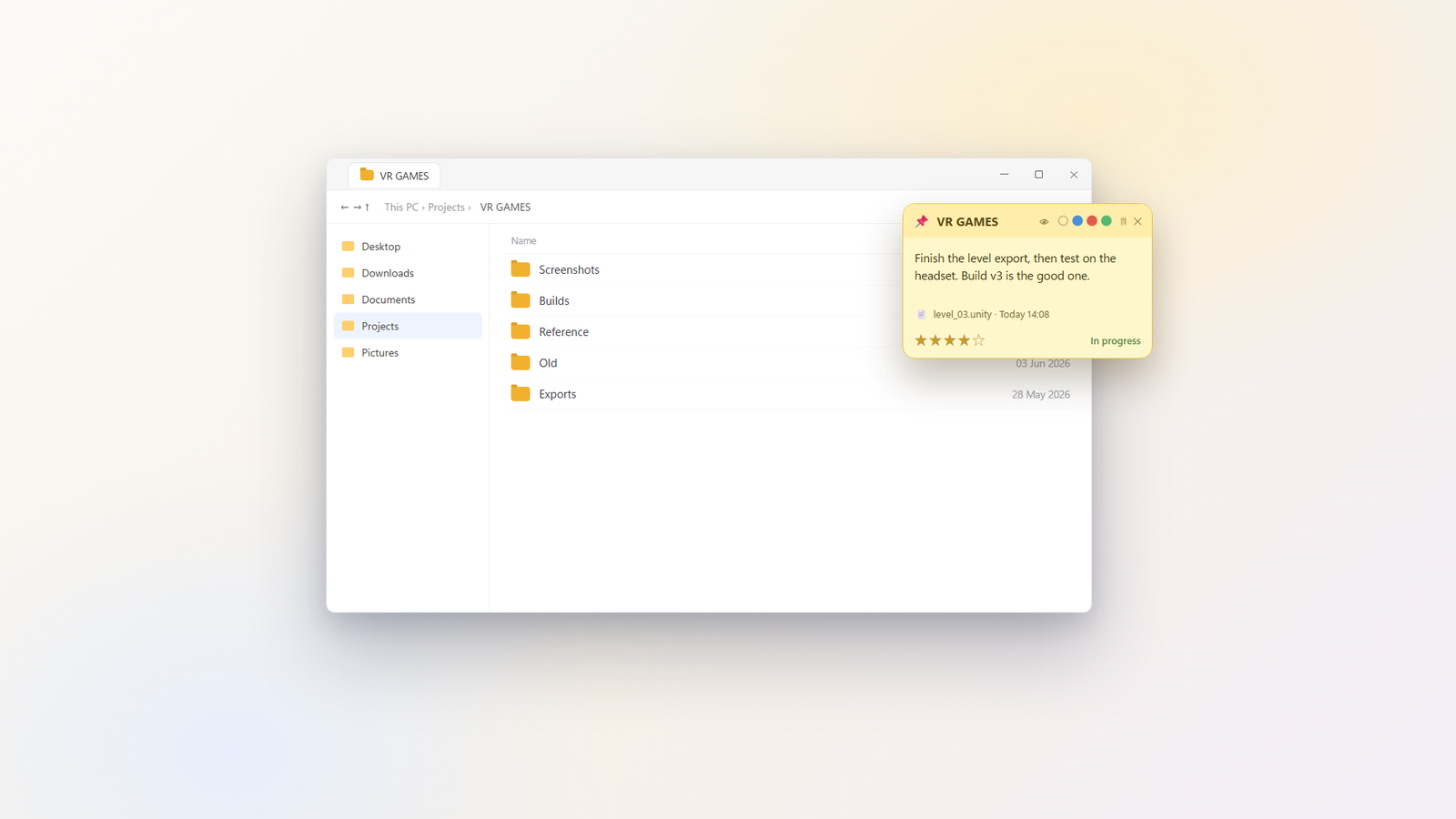
A sticky note that lives with the folder.
Not a separate app to remember, not a text file you'll lose. The note belongs to the folder, so the context is right there when you come back, next week or next year.
Notes on any folder
Add a styled note to any folder from the Windows right-click menu. A title, rich text, and the folder's story, kept exactly where the work is.
Status, stars & due dates
Mark a folder's status, star what matters, and set due dates with reminders so nothing important slips quietly past.
A task board, in the folder
Keep the to-do list where the files are. Check things off in the folder itself instead of in yet another separate app.
Quick launcher & search
Jump to your important folders with a single keystroke, and search across all your notes to find that one folder you can't quite name.
A privacy curtain
Some folders aren't for other eyes. Hide a note behind a curtain you open with Windows Hello, so a glance over your shoulder shows nothing.
Backup & 9 languages
Back up all your notes in a click, and use FolderNotes in your language: it speaks 9. Everything stays on your PC and never touches the cloud.
Small windows. Big difference.
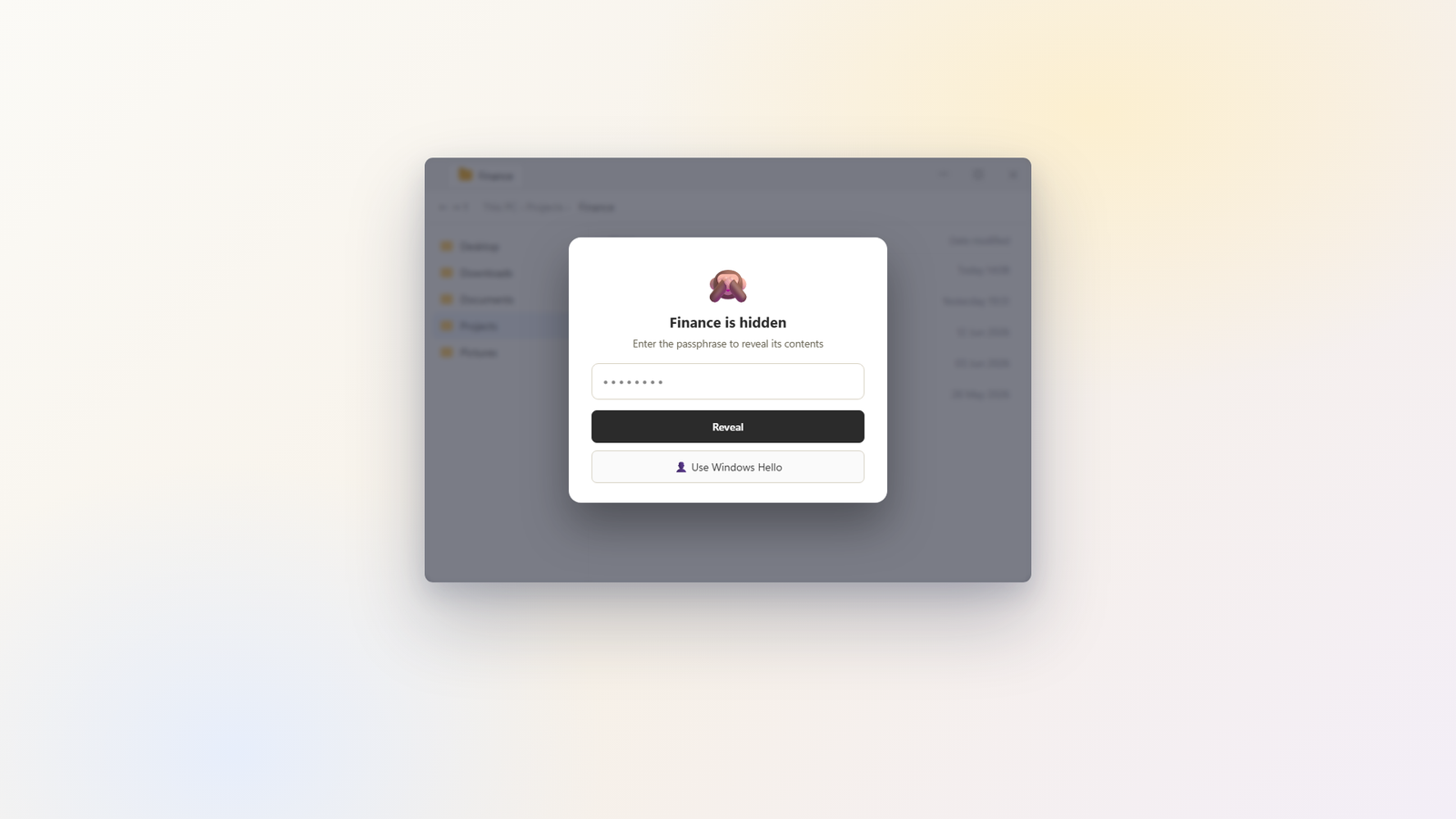
Some folders are not for other eyes.
Hide a folder's contents behind a curtain: anyone opening it sees nothing until you unlock with a passphrase or Windows Hello. A glance over your shoulder shows a closed curtain, not your finances.
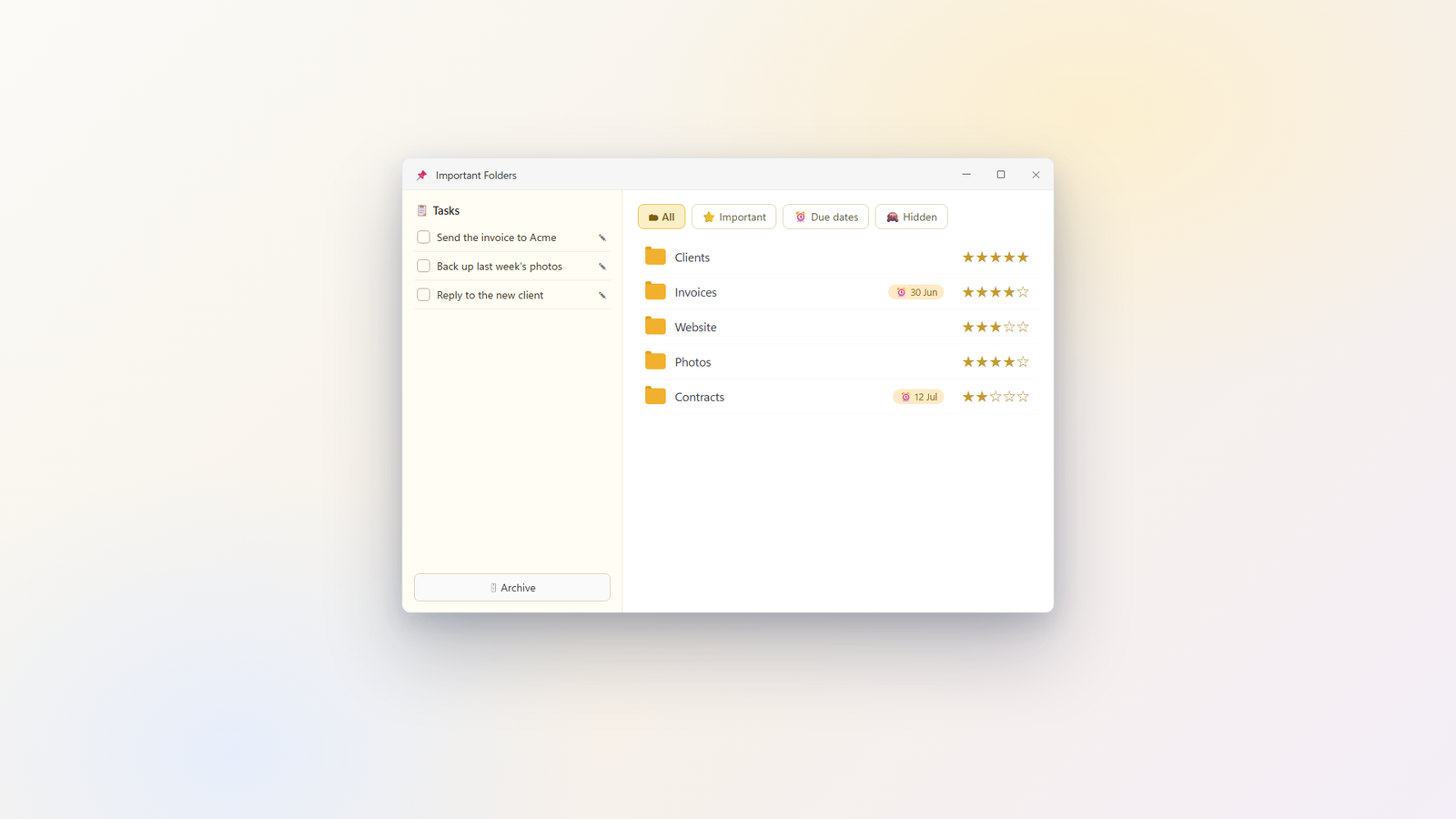
Every important folder, one window.
The Important Folders hub gathers your starred folders, due dates and open tasks from every note into one place, so "what was I supposed to do this week" has an answer.
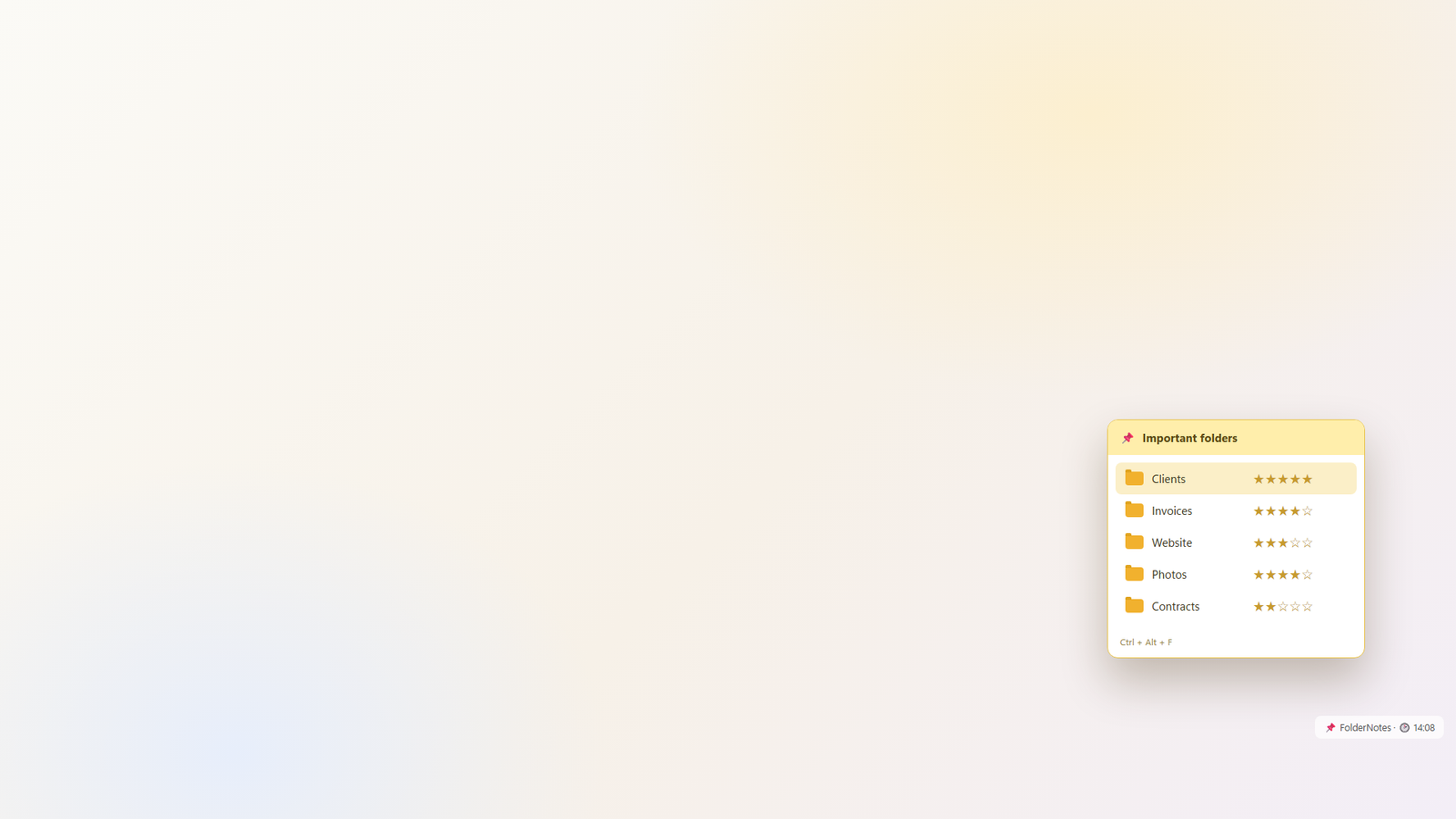
Your folders, one keystroke away.
A quick launcher pops up wherever you are: your important folders, ranked, ready to open. No digging through Explorer to find the project you touch every day.
Frequently asked questions
A few of the most common ones. There is a longer list on the full FAQ page.
What is FolderNotes?
It is a small Windows app that lets you attach a styled note to any folder. A note can hold text, a status, a 5-star importance, a due date, and pinned files, and it is waiting for you the next time you open that folder. It sits quietly in your system tray.
Where are my notes stored, and do they leave my PC?
Everything stays on your computer. Each folder's note is saved in a hidden file inside that folder, and the app's settings live in your local AppData. There are no accounts and no servers, so we never see your notes.
How do I quickly open my important folders?
Press Ctrl+Alt+F anywhere, or click the tray icon, and a small launcher pops up listing the folders you marked important. Click one to open it, and open several in a row if you like. You can turn the shortcut off in Settings.
Is the privacy curtain real security?
No, and we are honest about that. It is a visual privacy screen that keeps a folder's contents away from casual, over-the-shoulder viewing while FolderNotes is running. Anyone who closes the app or opens the folder in another program can still see the files, so use real encryption for truly sensitive data.
Does it work on Windows 10?
Yes. FolderNotes runs on both Windows 10 and Windows 11 (64-bit). It is a one-time purchase with no subscription, and it is available in 9 languages.
Part of the Hearth family
FolderNotes shares the same promise as the rest of Hearth Software: private by design, a real one-time price, and built by a person, not a platform. Nothing leaves your computer.