Your whole PC.
Moved. Verified.
Getting a new computer should feel like a fresh start, not days of hunting for installers and hoping nothing was left behind. HearthMove moves your files, apps, settings, whole drives, and even your AI conversations to the new PC over your own home network, and hands you a receipt proving every file arrived.
Get it on the Microsoft Store $29.99, one time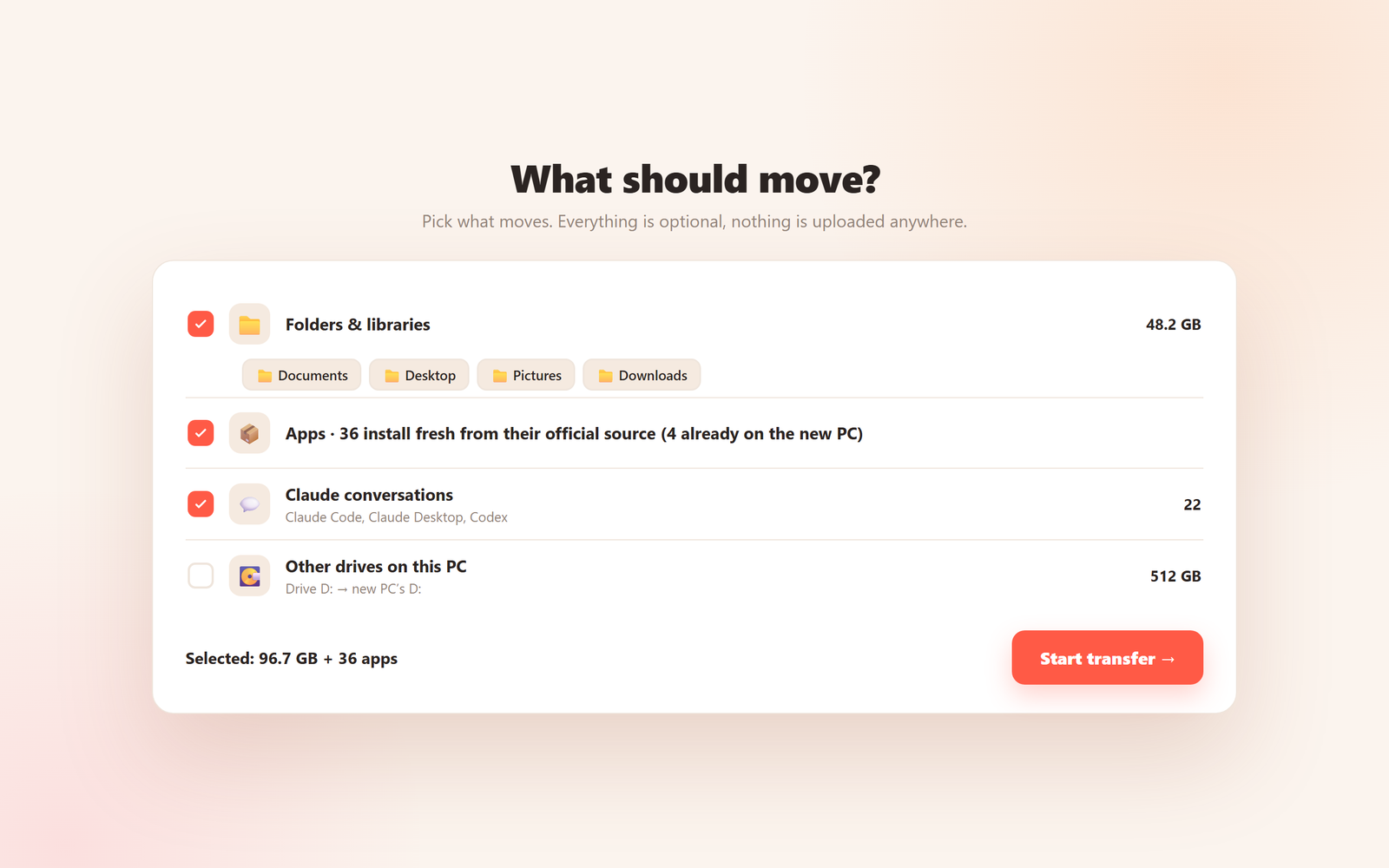
Every file is checked bit-for-bit as it lands on the new PC, and when the move is done a receipt on your desktop lists exactly what moved, what was verified, and anything that needs your attention. No guessing, no "I think it all copied". The one thing other movers never give you is proof, and proof is the whole point.
Everything moves. Really everything.
Documents, Desktop, Pictures, Downloads, your project folders, and whole extra drives, or just the folders you pick. Everything lands where you can find it, with a shortcut on the desktop.
Copying installed programs breaks them, so HearthMove never does. Instead it reinstalls your apps current and clean from their official source, built for the new PC. The rest go on your receipt so nothing is forgotten.
Browser bookmarks, mail, Telegram, and the hidden app data that makes a program feel like yours, moved and re-linked so apps just open and carry on.
Claude Code, Claude Desktop and Codex chats are moved and re-linked so they open on the new PC like nothing happened. You can also save every conversation as a plain text file.
The two PCs find each other on your home network and pair with a code shown on screen. The transfer is encrypted and never touches the internet, a cloud, or anyone's server.
No account, no analytics, no cloud. Pay once and own it, no subscription. Your life's files are nobody's business but yours.
The old PC won't even turn on?
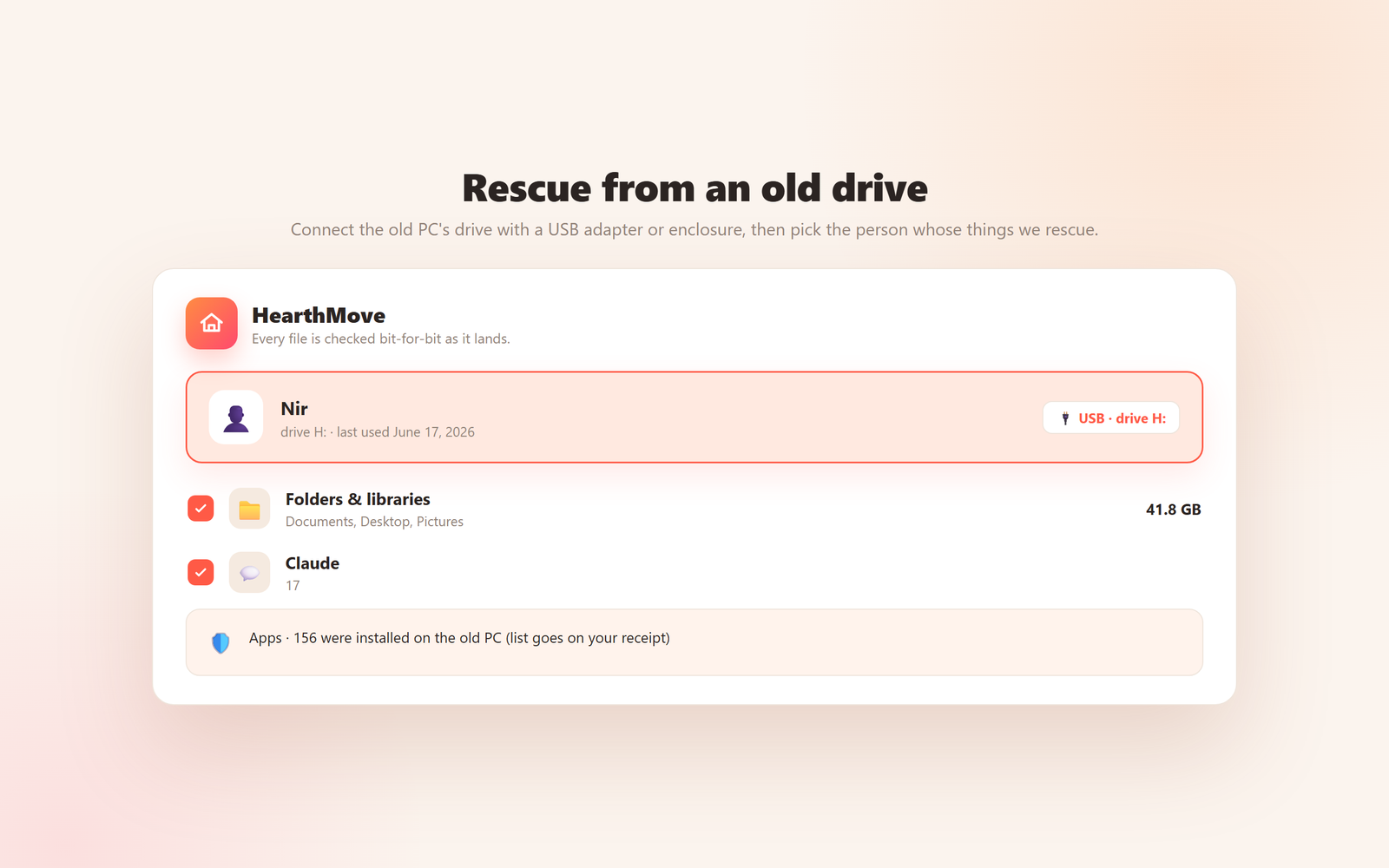
Take the drive out of the dead PC, plug it into the new one with a USB adapter or enclosure, and HearthMove finds the old Windows on it, shows you the people who used it, and rescues their files, settings and conversations, even when the old Windows protects its folders. It reads the old drive and never changes it, and it can even read which apps were installed so the list goes on your receipt.
This is the moment most people discover a mover can't help them. HearthMove was built for it.
Questions people ask
What is HearthMove?
HearthMove is a Windows app that moves everything from your old PC to your new one over your own home network: files, folders, whole drives, apps, settings, and even your AI conversations. Every file is verified bit-for-bit as it arrives, and a receipt on your desktop lists exactly what moved.
Is it a subscription, or do I pay once?
You pay once and own it forever. HearthMove is a one-time purchase, with no subscription and no recurring fees.
How do the two PCs connect?
You run HearthMove on both PCs, connected to the same home network. The new PC shows a short pairing code, you type it on the old one, and the transfer starts, encrypted, directly between the two machines. Your files never touch the internet or any server.
Does it move my installed programs?
Yes, the honest way. Copying installed programs from one PC to another breaks them, so HearthMove never does that. Instead it finds your installed apps and reinstalls them fresh and current from their official source, built for the new PC. Apps without an official source are listed on your receipt so you can reinstall the ones you still use, and nothing is forgotten.
What about Outlook?
Accounts that live on a mail server (Microsoft 365, Exchange, Gmail, IMAP) come back by themselves the moment you sign in to Outlook on the new PC, so their mail is not copied - the server already has all of it. Outlook data files (.pst) holding local mail and archives are moved, along with your email signatures, and HearthMove leaves a short guide on your desktop showing the two clicks that reconnect them (File, then Open & Export, then Open Outlook Data File).
My old PC is dead and won't start. Can HearthMove still help?
Yes. Take the drive out of the dead PC and plug it into the new one over USB. HearthMove finds the old Windows installation on it, shows you its users, and rescues their files, settings, app list and conversations, reading the old drive without ever changing it.
Can it really move my Claude and AI conversations?
Yes. Claude Code, Claude Desktop and Codex conversations are moved and re-linked so they open on the new PC like nothing happened. You can also export every conversation to plain text files as a keepsake.
What is the receipt?
A plain report saved to your desktop when the move finishes. It lists every file that moved, confirms each one was verified bit-for-bit, and flags anything that needs your attention. If it is on the receipt, it really happened.
Can my Windows license move with me?
Often yes, and HearthMove is the only mover that even looks. It shows your Windows edition, your product key, and, honestly, whether your license type is allowed to move: retail licenses can transfer to the new PC, while OEM licenses that came pre-installed are tied to the old machine, and HearthMove tells you so instead of pretending. It can save your key to a file for safekeeping, and, only when you explicitly ask, release it from the old PC so it is free to activate on the new one. Activation itself is handled by Microsoft under their license terms.
Does HearthMove need the internet, a cloud, or an account?
The transfer itself is 100% local: your files travel directly between your two PCs over your own network, encrypted, and never leave your home. The internet is used only to reinstall your apps from their official sources, and there is no account and no analytics.
What happens if the transfer is interrupted?
Just run it again. Files that were already transferred and verified are never re-sent, so the move picks up right where it stopped.
Which version of Windows do I need?
HearthMove runs on Windows 10 and Windows 11, on both PCs. You install it straight from the Microsoft Store.
HearthVault quietly backs up your home PCs to each other, no cloud, so the next move is never a rescue. From the same family.